
Delete a hierarchy#
This procedure deletes a hierarchy (for example, a reseller, customer, intermediate node, or site).
Caution
Unintentionally deleting a hierarchy can have serious effects on the system. Proceed with caution.
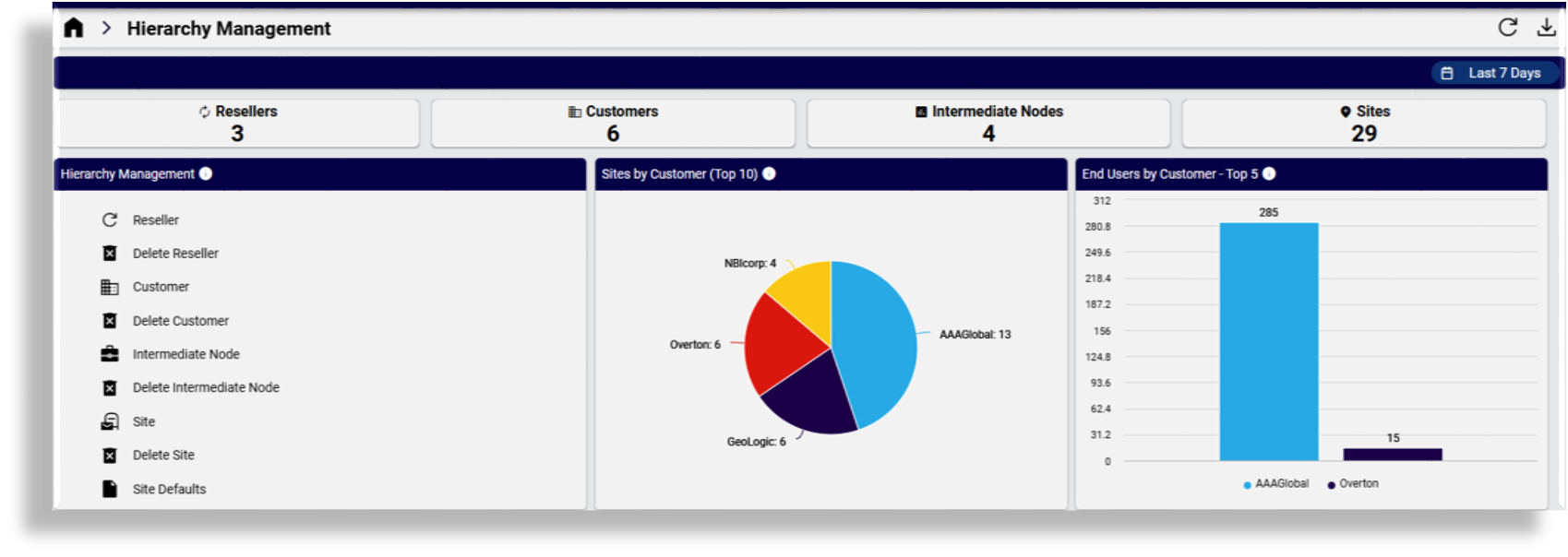
Go to Hierarchy Management.
Choose an option for the hierarchy you wish to delete, for example, Delete Reseller, Delete Customer, Delete Intermediate Node, or Delete Site.
If you’re deleting a site, choose the customer where the site exists.
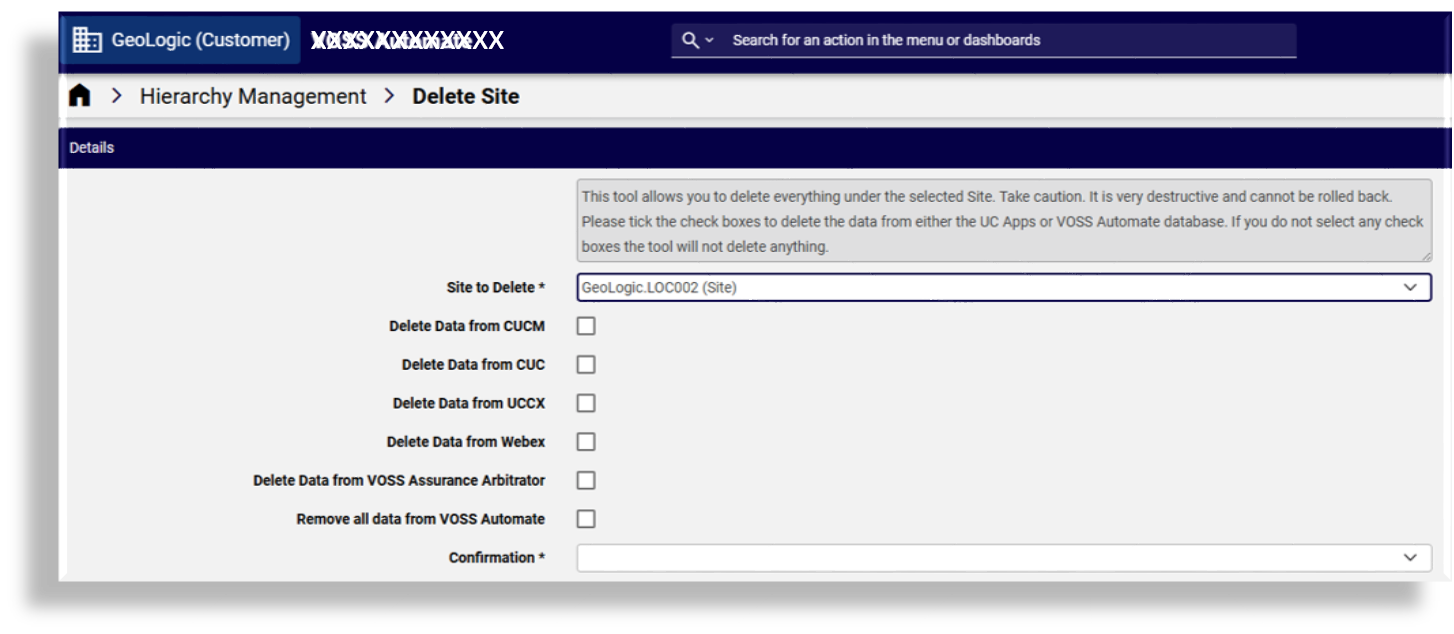
Choose options for relevant data to delete for the selected hierarchy. Options are the same for all hierarchy types. You can remove data on selected UC apps configured on the hierarchy and completely remove all hierarchy data from the Automate system database:
Delete data from CUCM
Delete data from CUC
Delete data from UCCX
Delete data from Webex
Delete data from VOSS Assurance Arbitrator
Remove all data from VOSS Automate
Note
If you don’t select any data delete options, the hierarchy is deleted but its data is retained.
The option to delete data from Webex does not delete Webex locations since these can only be deleted via Webex Control Hub and not via the API.
If deleting a customer, remove any entities associated with the customer, such as LDAP, SSO providers, Devices, and NDLs.
At Confirmation, since a risk exists when using the hierarchy delete tool, you will need to select the acknowledgement for the delete/purge from the drop-down.
Click the toolbar Save icon to execute the transaction.
Note
If deleting a site, an additional cleanup workflow step also removes site-related data above the site level.
The table indicates the DN and E164 Inventory state after a site is deleted:
DN
E164
E164 Association
DN Inventory
E164 Inventory
E164 Association Flag
E164 Association
Site
Site
Site
Removed
Removed
N/A
Removed
Site
Customer
Site
Removed
Remain
set to false
Removed
Site
Customer & Site
Site
Removed
Remain at customer Removed at site
set to false
Removed