
Delete unused roles#
hcs-admin
This procedure deletes unused roles from all hierarchies or a selection of hierarchies.
The Delete Unused Roles tool allows you to delete:
All unused roles
Unused roles at specified hierarchies
Unused roles down from specified hierarchies - with the option to select hierarchies
Note
Only unused roles are deleted.
Use this tool with caution since the transaction to delete unused roles can’t be rolled back.
Roles are used in for example the following functional areas:
To delete unused roles:
Log in to the Admin portal as
Hcsadmin.Go to Delete Unused Roles.
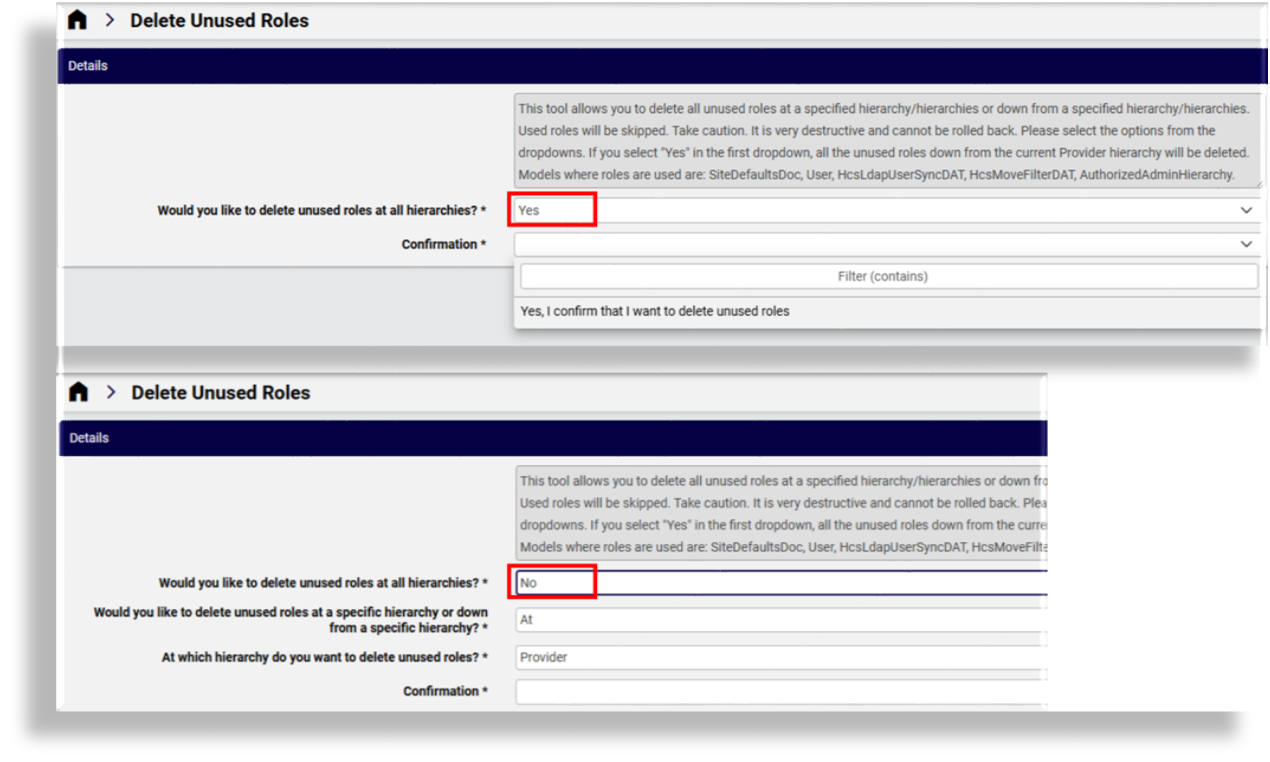
At Would you like to delete unused roles at all hierarchies, choose delete options:
Delete unused roles at all hierarchies? Select Yes. Confirm your choice, then save. All unused roles at the current hierarchy and down are deleted.
Delete unused roles from selected hierarchies and define delete scope? Select No, then:
Choose hierarchy scope, either At or Down from a specific hierarchy, then choose options for the selected hierarchy, for example, all or a subset of your customers, resellers, or sites.
If deleting from a subset of a hierarchy, choose the subset (one or more customers, sites, resellers, and so on), depending on the selected hierarchy.
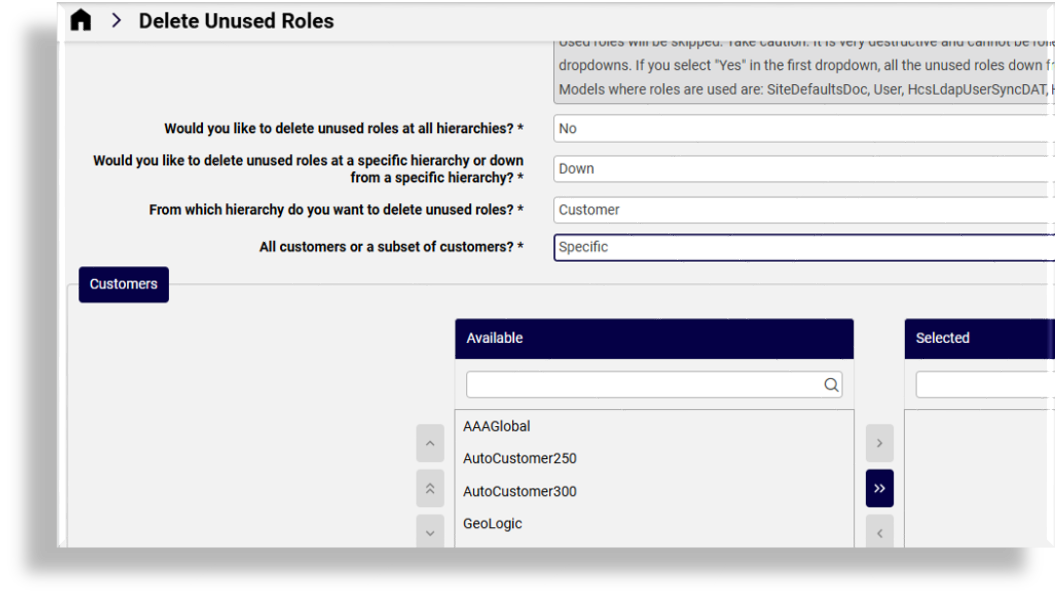
Confirm your choices, then save. Unused roles are deleted for the options selected.
Check the transaction log to monitor progress of the role delete. See Transaction logging and audit.