
Workspace call settings#
Overview#
Synced Webex workspaces (places) are maintained in VOSS in the relation/WebexWorkspaceCallSettings model,
and display on the Workspace Call Settings list, with corresponding Webex location (including the
floor the meeting room is on), if available.
Note
Workspace call settings can be updated in VOSS but can’t be added or removed.
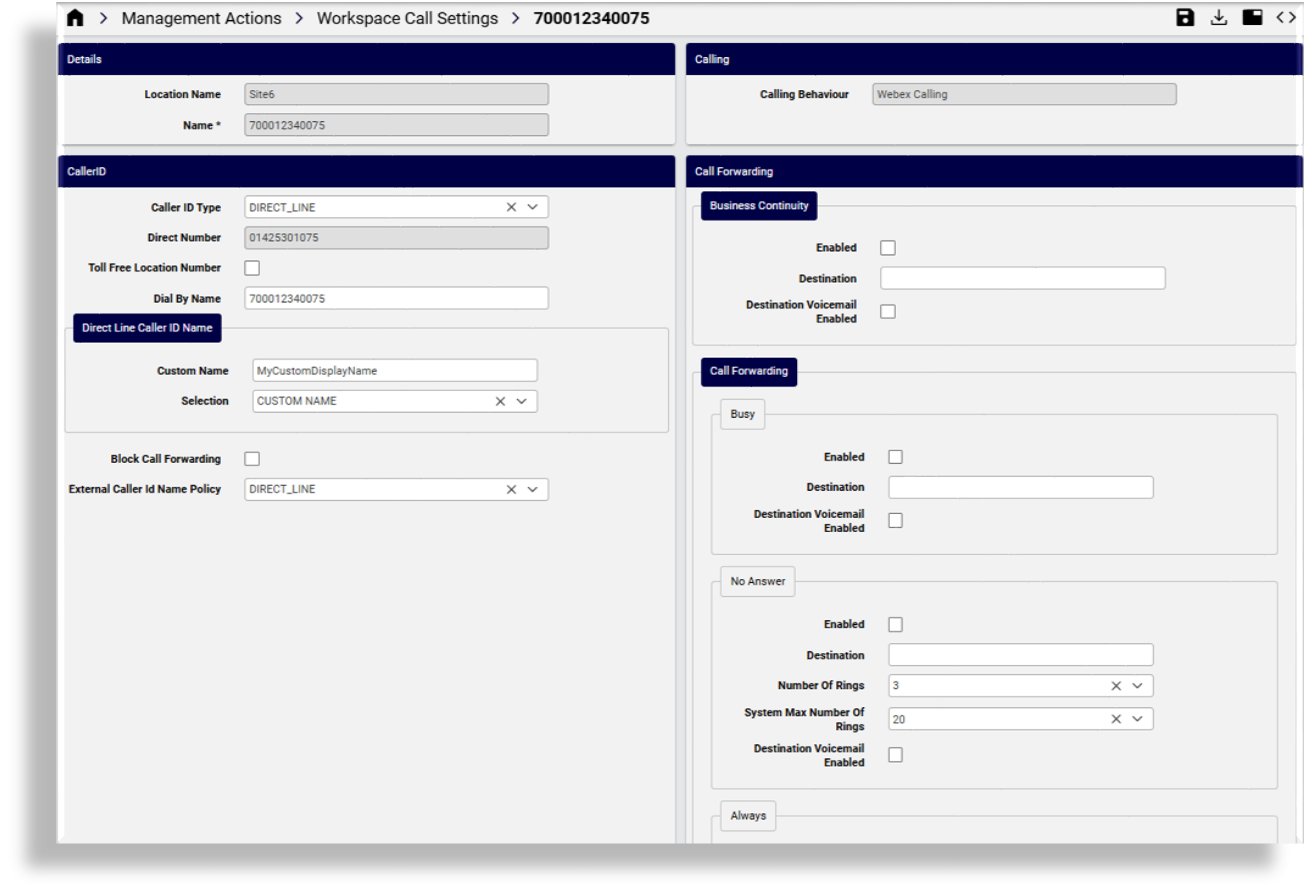
Update Workspace call settings#
You can view the following Workspace call settings on the Workspace Call Settings page. Some fields are synced from Webex and read-only in VOSS. The following settings are editable in VOSS:
CallerID
Caller ID type: The type of caller ID that will be used
Toll Free Location Number: Defines whether the number is toll free
Dial By Name: Free text field for the workspace dialing name
Direct Line Caller ID Name: Settings for the direct line caller ID name to be shown for the auto attendant.
Custom Name: The field is enabled (displays) only when relevant for the Selection option you choose. Hidden when Selection is “DISPLAY_NAME”.
Selection: This drop-down allows you to choose from the options Webex provides to define the name to show for the auto-attendant. “DISPLAY_NAME” is always at least one of the options.
Block Call Forwarding: Defines whether to block call forwarding for this auto attendant.
External Caller ID Name Policy:
Call Forwarding
Business Continuity
Enabled: Defines whether business continuity call forwarding is enabled.
Destination: Destination for business continuity call forwarding.
Destination Voicemail Enabled: Whether destination voicemail is enabled for business continuity call forwarding.
Call Forwarding: Call forwarding settings for the workspace (options can be configured for busy, no answer, and always)
Call Waiting: Defines whether call waiting state is enabled.
Call Monitoring: Defines whether call park notification is enabled, and allows you to define call park extensions (one or more) and types of member extension (one or more).
Workspace Numbers: Add external PSTN phone numbers (one or more) in E164 format, plus (optionally) an extension.
Outgoing Permissions: Defines whether to enable custom calling permissions, and when custom is enabled, to add and configure one or more calling permissions for different call types.
Call Intercept: Defines whether call intercept is enabled, and if enabled, to set up intercept behavior for incoming and outgoing call types, including greetings.
Auto Transfer Numbers: Allows you to specify numbers to automatically transfer to when calling a specific call type.