
Assigning probes to assets#
Assign standard probes#
Log in to the Arbitrator with admin privileges.
Click on the Wrench icon
 to open the configuration screen.
Click on the toolbar Asset Configuration icon
 to open the Asset Configuration screen.
Select the asset group containing the assets you wish to configure.
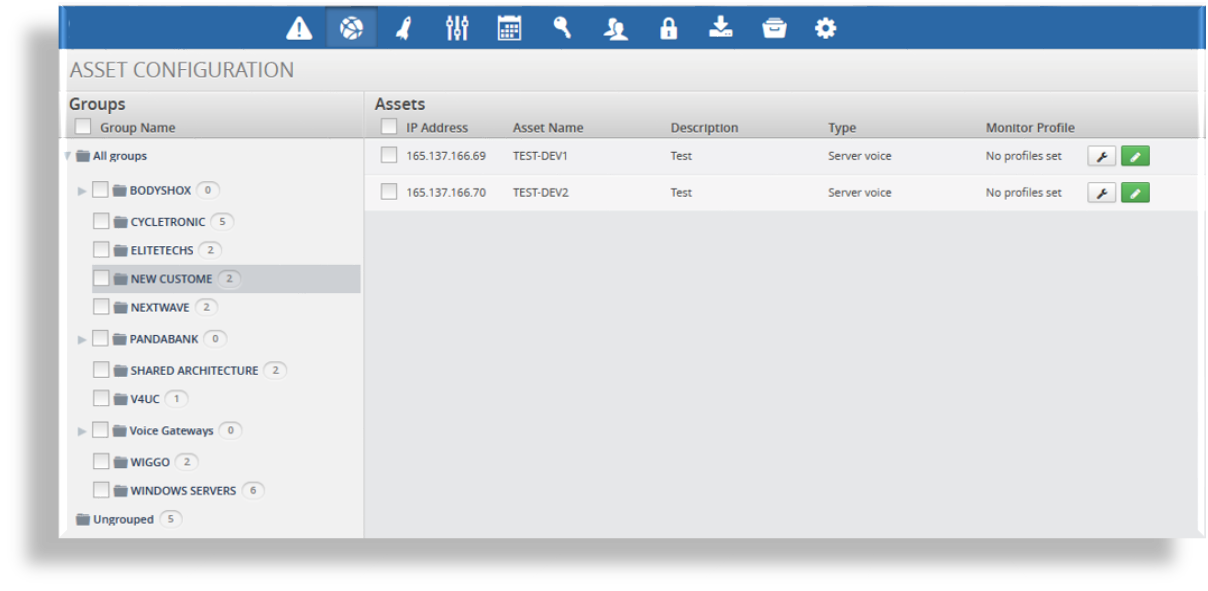
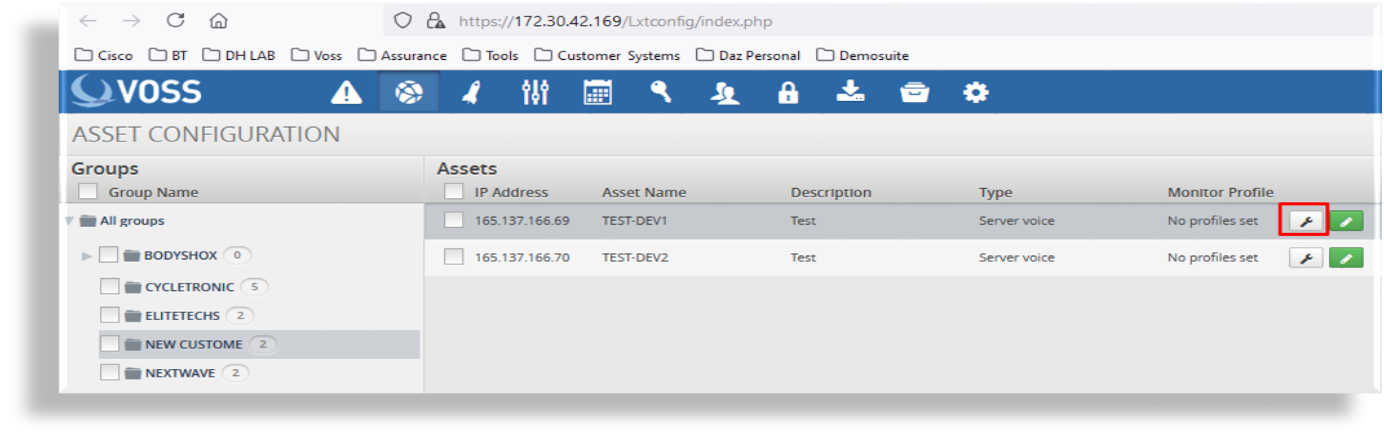
Click on the asset’s Wrench icon to open Monitor Profile, where you can perform assignment.
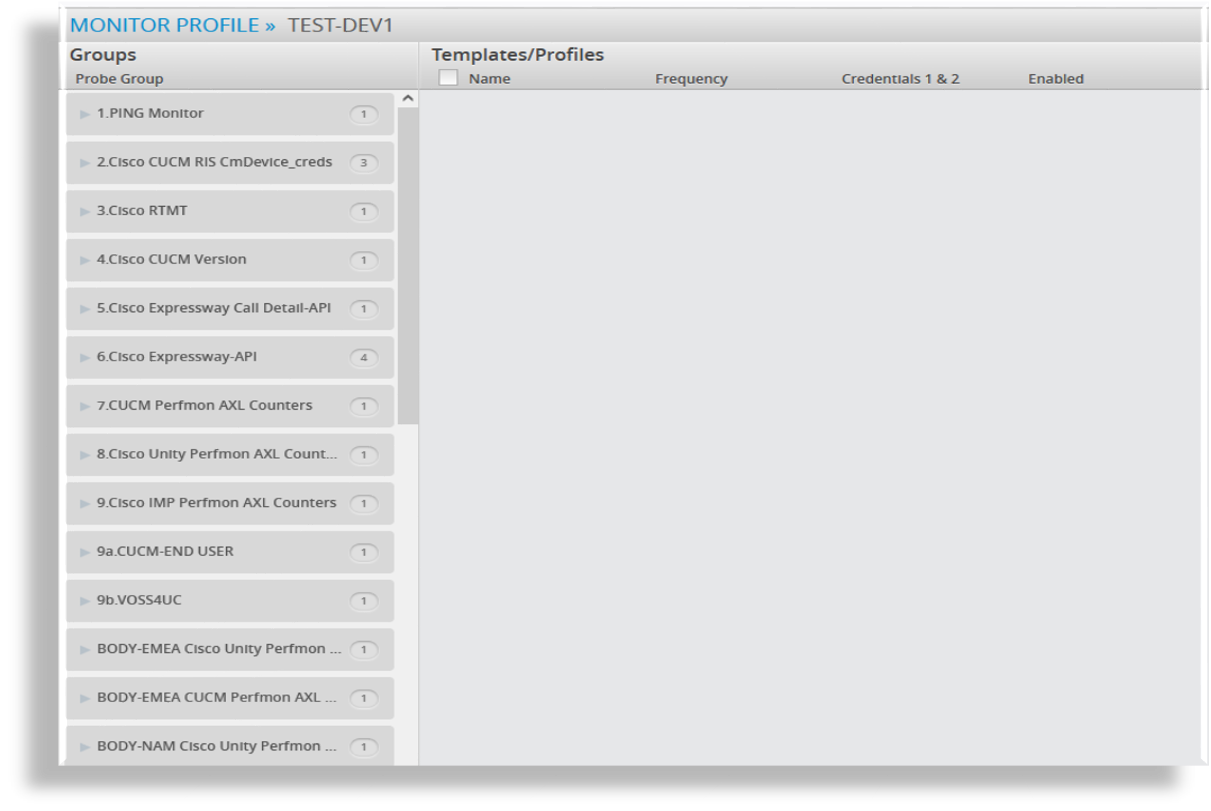
Select then drag and drop the relevant probe from the left pane to the asset in the right pane.
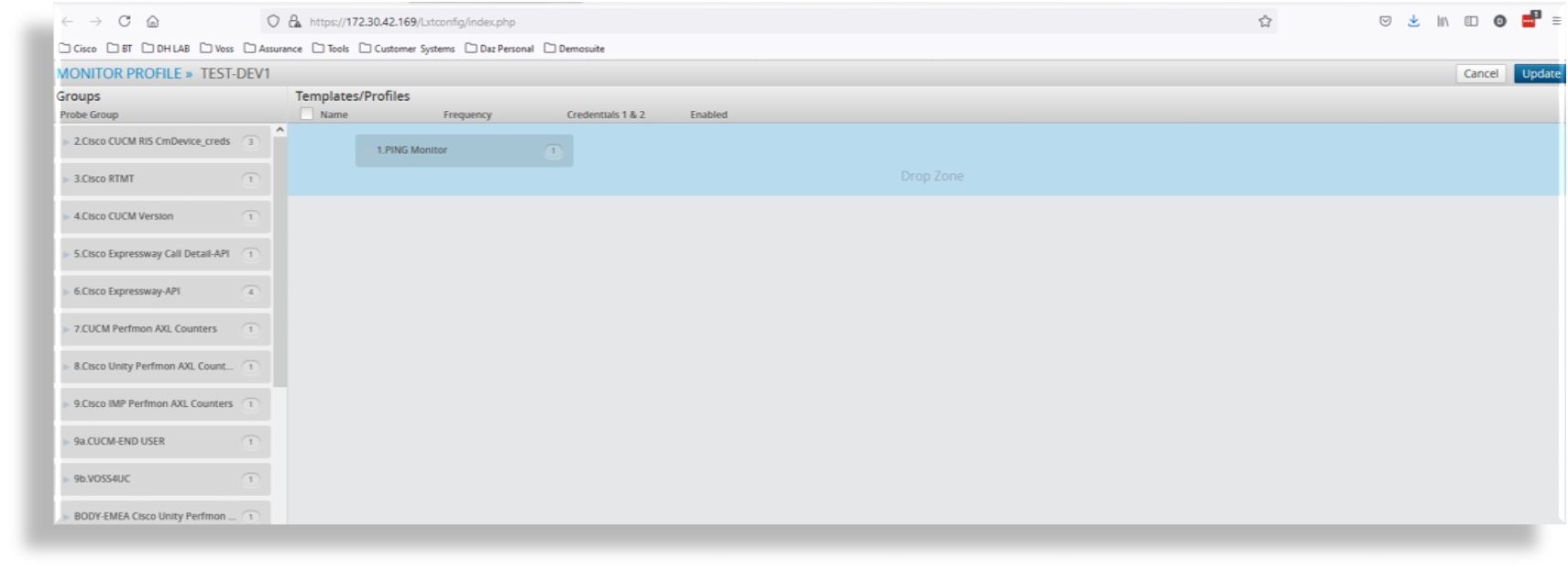
Ensure the Drop Zone (Blue Area) Reduces down before you drop.
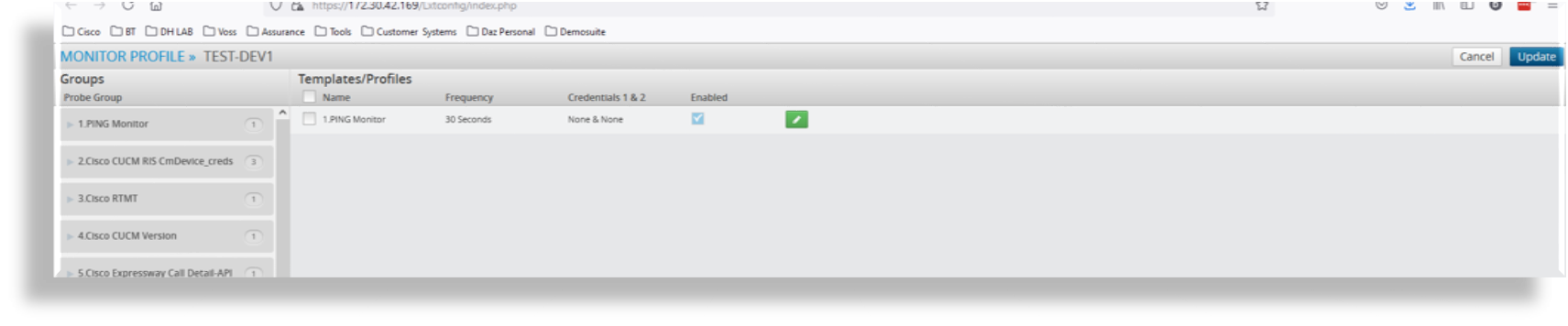
If you then click on
 you can set any time schedules /
credentials required for this probe
you can set any time schedules /
credentials required for this probeOnce finished click Update and then click Save.
Note
You can assign one or more probes at the same time.