
Netflow Menu#
Netflow
VOSS provides several default dashboards that you can copy (clone) and edit to create your own custom dashboards. DOC-4834 - Docs for VOSS-1612 Finalize setup and experience of core framework for Insights only mode (25.4) Menus, dashboards and widgets on dashboards may depend on the availability and enablement of additional services on Global Settings > Enabled Services.
Requirements:
Solution enabled: Global Settings > Enabled Solutions > Enable Netflow Solution - see: Global settings.
Netflow collection servers setup: see Collector (Netflow) Server Installation in the Installation Guide.
Netflow collection servers and monitored devices configured:
Dashboard customization:
Dashboard reference:
-
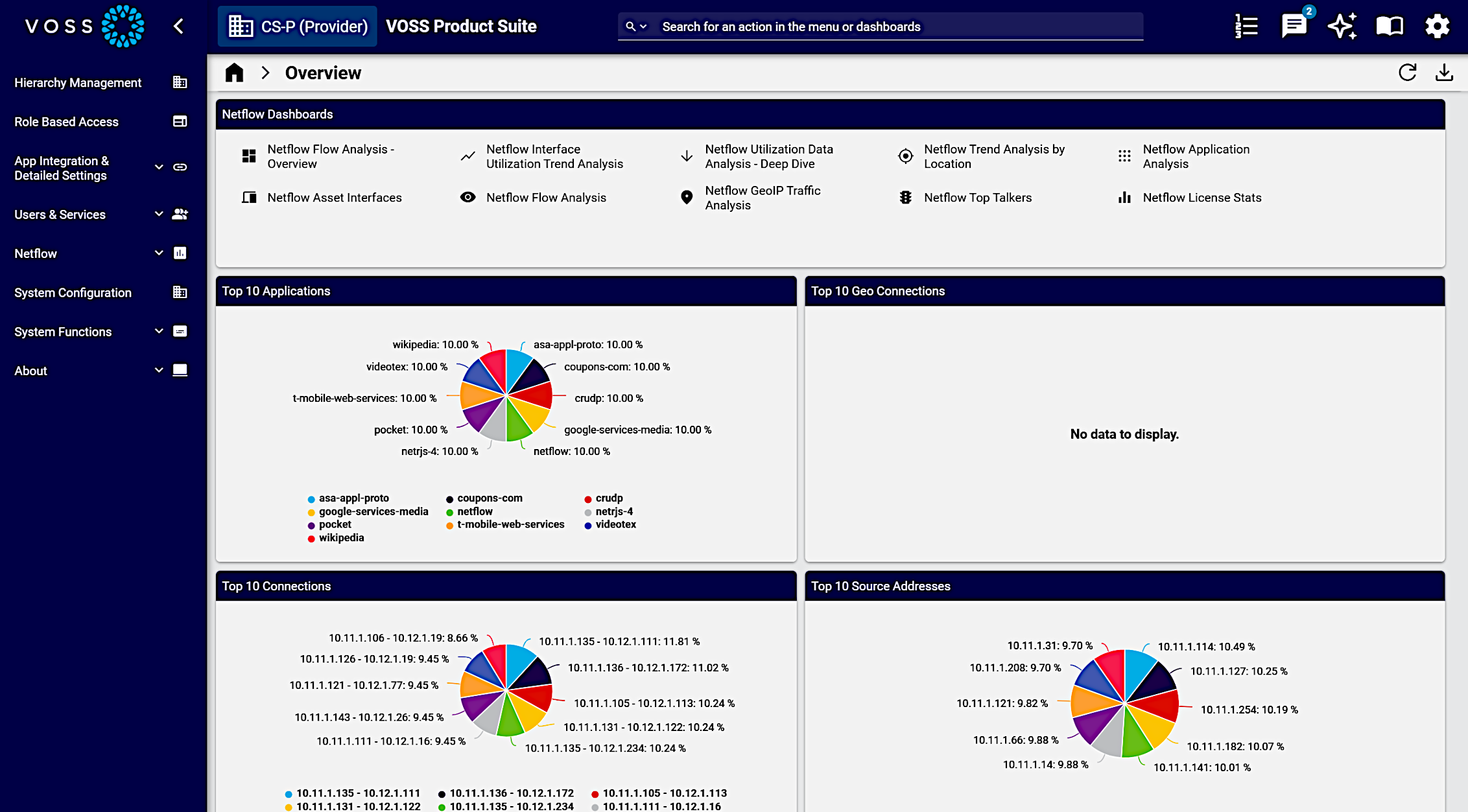
Dashboard for Netflow - Admin role.
Example:
-
Netflow Collection Management Dashboard for Netflow application.
-
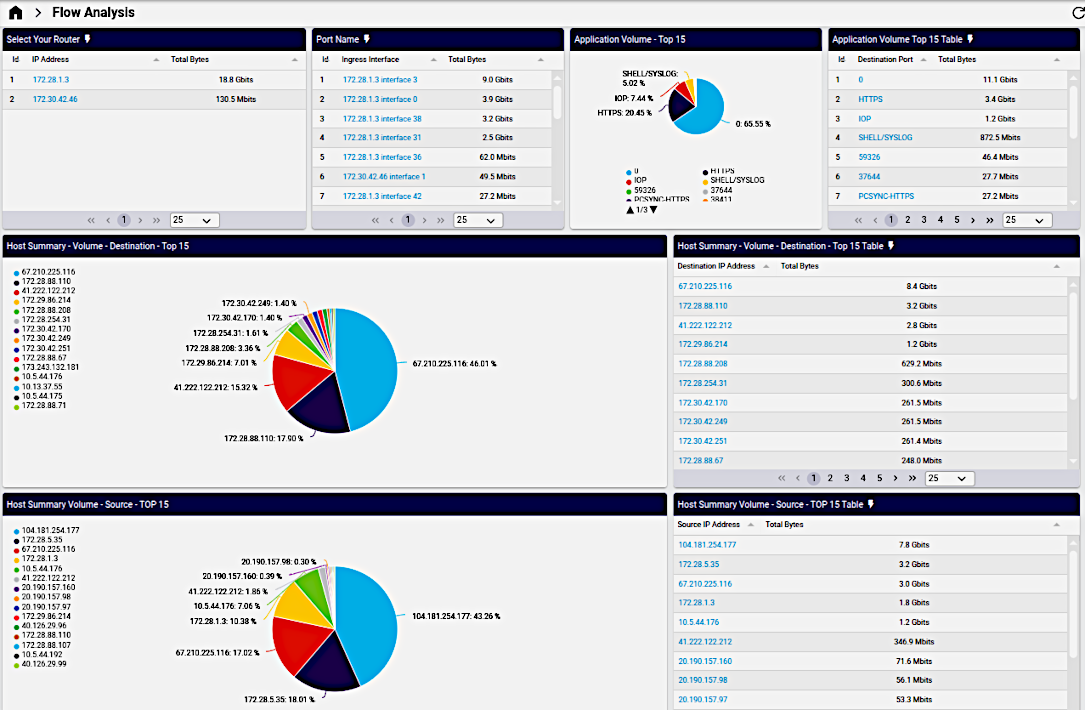
Busiest interfaces, top destination ports with traffic trends, protocols and DSCP/ToS fields.
-
Source, interface performance & utilization, and packet discard and errors.
-
Drill down into sources and interfaces to see volume analysis, protocol trends and full flow details.
Example:
-
License details including flow counts.
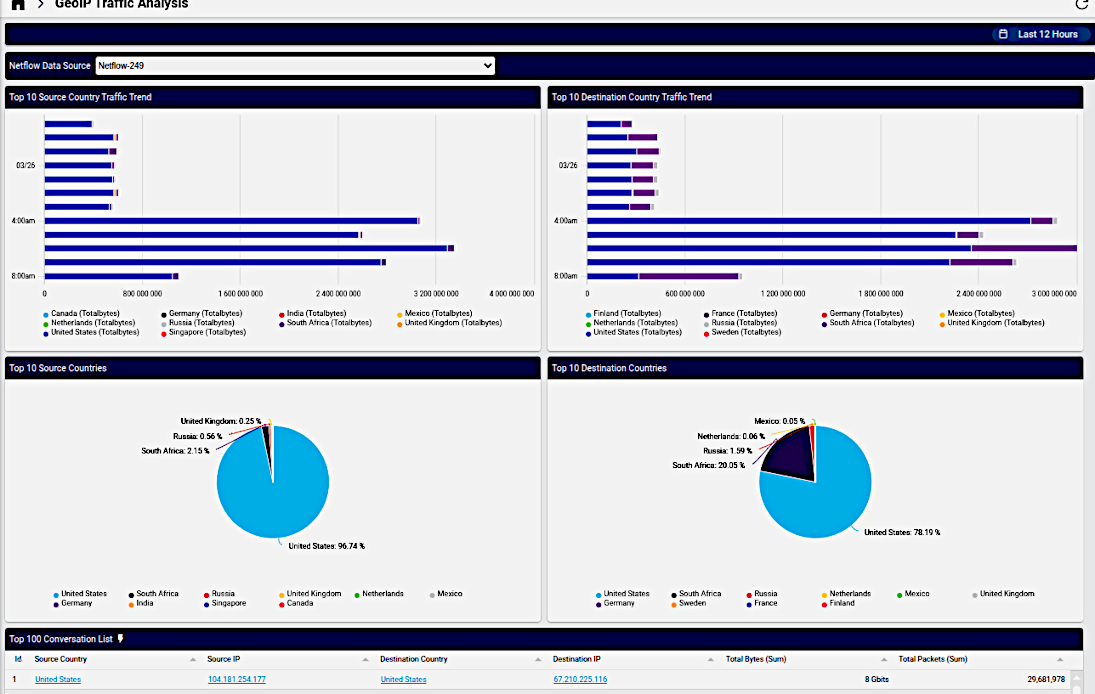
Netflow GeoIP Traffic Analysis
Netflow GeoIP Traffic Analysis
Example:
-
Top sources, traffic trends across conversations and interfaces