
Microsoft Service Plan Name Mappings#
Overview#
Service plan name mappings are a prerequisite for using Microsoft license enforcement, setting threshold percentage values for licensing, and license alerting.
For each service plan number, you’ll set up the default mapping of each service plan ID to a service plan name. The service plans you add can be assigned to licenses via the Microsoft License Inventory page.
Manage service plan name mappings#
Go to Microsoft Service Plan Name Mappings.
Choose the hierarchy where you want to view and manage service plan name mappings.
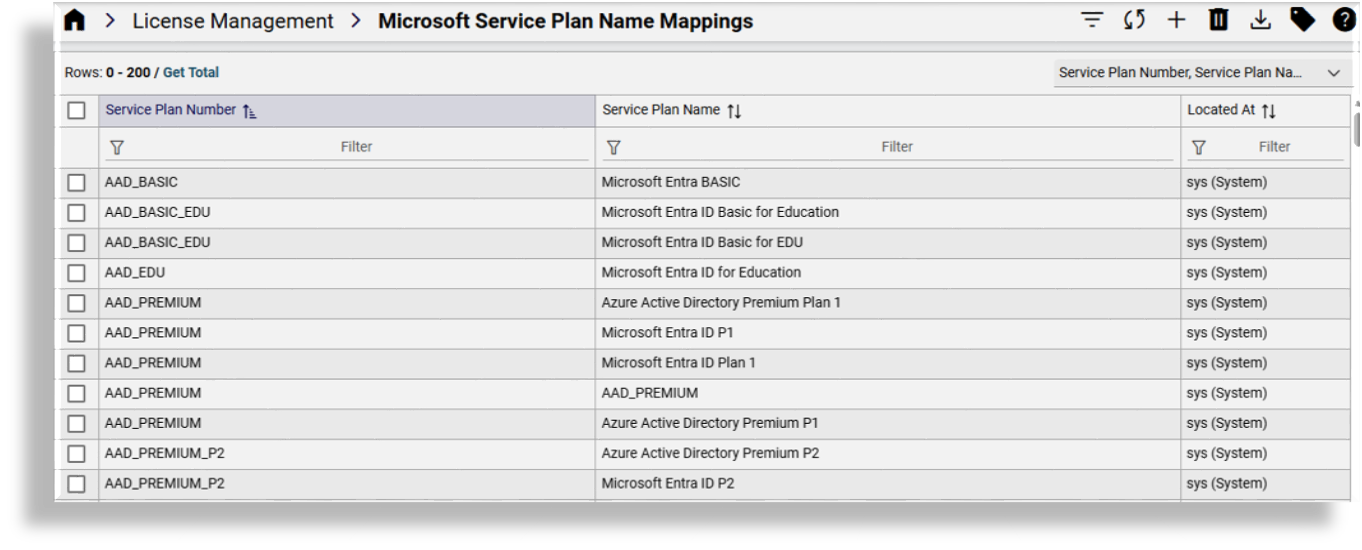
View existing service plan name mappings on the list view.
From the list view you can add, update, or delete service plan name mappings, filter or refresh the list, export one or more service plan name mappings, or add tags.
Choose an option:
Delete a service plan name mapping: Select one or more service plan name mappings in the list view, then click the Delete icon.
Update a service plan name mapping: Click on a service plan name mapping to open its settings. Only the service plan name can be updated. You can however also create a copy, add tags, and access the JSON editor.

Add a new service plan name mapping: From the list view, click the toolbar Plus (+) icon to add the new record; then, add a service plan number, a service plan ID, and a service plan name. Save your changes.