
Admins#
Overview#
The Admins list view displays the system admin users, where user type is “admin” or “end user + admin”:
User type: Admin
Accesses the system to perform admin tasks
Can be assigned to any hierarchy
User type: End User + Admin
A single user account can be configured as both an End User (with services) and as an Administrator by assigning an Authorized Admin Hierarchy containing a self-service role to the user. See Authorized Admin Hierarchy Roles (roles).
Note
End users are provisioned with services and can be created at any level of the hierarchy, but can only be assigned services at a site.

Note
If you’re adding a single role admin user and select an Authorized Admin Hierarchy instance that has been associated with the role, then the hierarchies set in the Authorized Admin Hierarchy override the default hierarchies associated with the role. See Authorized Admin Hierarchy Roles.
If you’re adding a multi-role admin user, the user must first reside at site level and then be assigned a self-service role by a system administrator, and a selected Authorized Admin Hierarchy instance that has an administrator role.
If needed, this step should also be carried out manually in the case of synced in users or users moved to a site.
Enabling the system setting Additional Role Access Profile Validation restricts Authorized Admin Hierarchy roles to those with linked access profiles that are in the subset of the administrator’s own access profile.
If the role is set to an administrator role and an Authorized Admin Hierarchy instance is also specified for the user, the role on Authorized Admin Hierarchy takes precedence. This is NOT a recommended configuration.
Note
Default local admins are created when provider, reseller, customer, and site hierarchy nodes are established.
An admin for a particular hierarchy level can create or modify the administrators and operators at that hierarchy level and any level below. For example, a Customer XYZ administrator can create other Customer XYZ administrators and site administrators for Customer XYZ.
Related topics
Admin user password updates#
If the admin user password is updated, user passwords on Cisco UCM, CUC, and Webex are also updated if these have been provisioned for the user.
Note
Since different UC apps can have different password strictness rules, the update transaction will only succeed if the strictness rules of all the UC apps have been met. Otherwise, the update transaction will roll back.
Administrators should therefore choose a password that meets the requirements of all the UC apps.
Add/update local admins and operators#
This procedure manually adds or updates an admin user for an intermediate node, and adds or edits local admin or operators.
Note
You can view the list of admins on the Admins page (relation/User), then click on an admin in the
list view to view and/or update their settings. You can also click the Plus (+) icon to add a new admin user.
Log in as an admin user at the hierarchy where you want to add or update the admin user.
Note
If you’re adding or updating an admin or operator below your current hierarchy, click Organization Hierarchy then select the relevant hierarchy from the tree view. For example, if you’ve logged in as Provider admin and you want to add a customer admin, select the relevant customer.
Go to the Admins list view.
Note
The Admins list view makes use of an
[OR]condition to filter admins,Admin[OR]End User + Admin. For details on the filter, see: Working with lists.Choose an option:
Update an existing admin user? Click on the admin to view their settings. Update the admin. Save your changes.
Add a new admin user? Click the Plus icon (+) to add a new record.
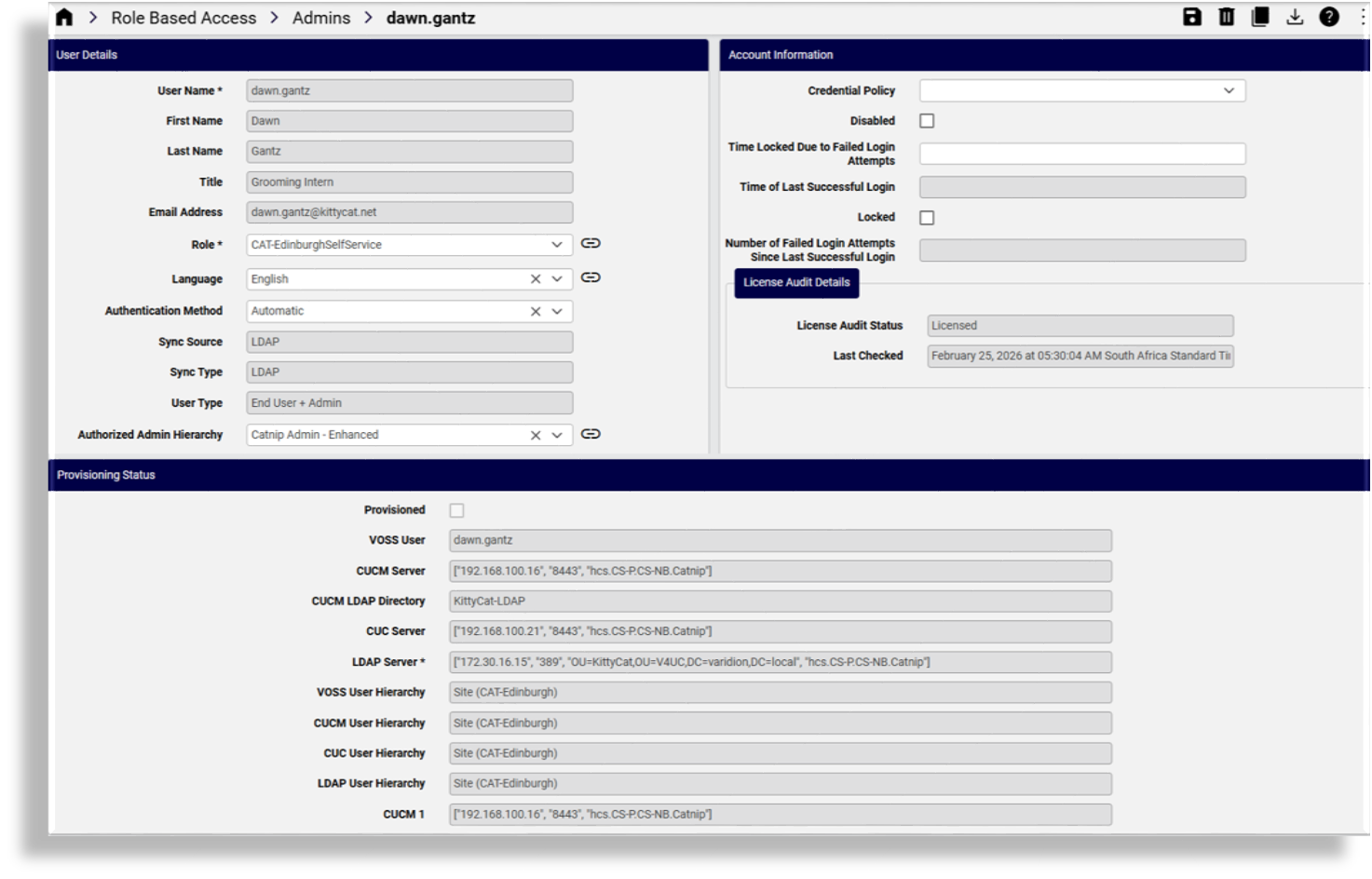
Fill out the admin user’s user details and their account information. Mandatory fields are indicated with an asterisk (*), typically, Username (sign-in username) and Role (for example, Automate - Admin).
For details on the available settings for admins, see User settings for admins and end users.
Save your changes.
View transaction progress and details in the Transaction Logs.
Related topics