
Microsoft License Name Mapping#
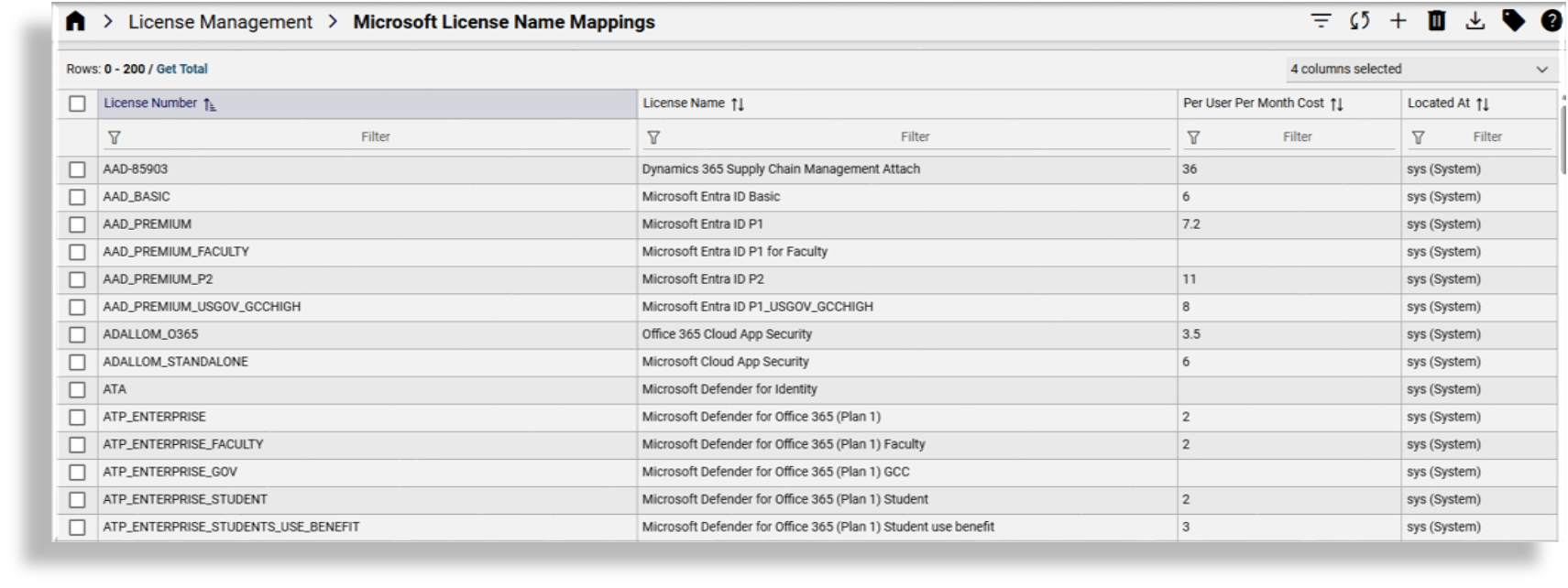
Microsoft license numbers (SKU part numbers) are mapped to license names (SKU part names) on the Microsoft License Name Mappings page. License names mapped on this page can be selected for license allocation at a selected hierarchy on the MS License Allocation page.
Note
Customers can override SKU friendly names (License Name) and costs (Per User Per Month Cost) at lower hierarchies.
From the summary list view of the Microsoft License Name Mappings page you can:
View all existing license name mappings at the selected hierarchy
Filter or refresh the list
Add a new license name mapping or delete an existing one
Export one or more license name mappings
Add tags to one or more license name mappings
The list view of license name mappings includes the following details for each item in the list:
License number (SKU part number)
License name (SKU part name)
Per user per month costs
Hierarchy the license is located at
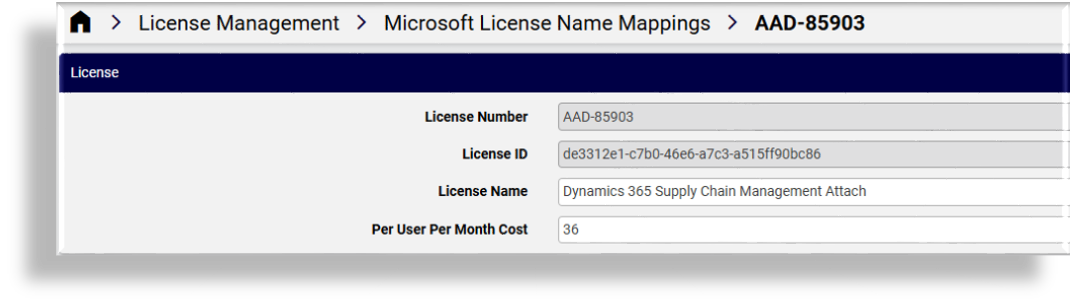
To view, update, or delete a license name mapping, click on a license in the list view to open it’s configuration page. From the license name mappings configuration page you can:
View the license number and license ID (read-only)
Update the license name
Update the per user per month cost
Delete, copy, or export the license name mapping
Add a tag
Access the JSON editor for the license name mapping
Related topics