Credential Configuration#
Overview#
The Credential Configuration panel allows you to define and store credentials securely. These credentials can be assigned to a probe or control to allow for secure access to an asset, ticketing system, or script. (See: Asset Configuration, Response Procedure Configuration)
Create a credential#
To create a credential:
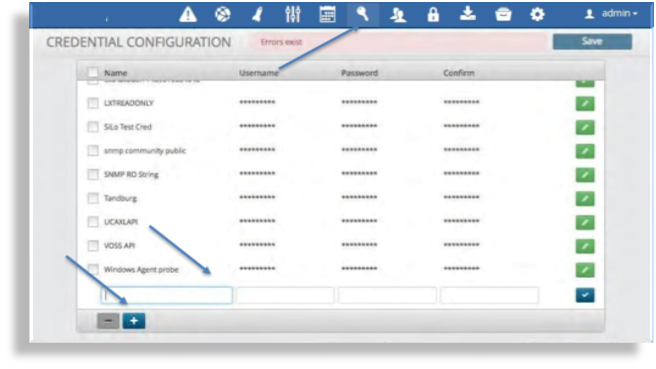
Click the “key” icon in the menu bar at the top.
Click the plus icon in the bottom left corner.
Enter the name to be assigned to the Credential.
Enter the Username, Password and Confirm fields.
Note
The text displays as clear text only until the entry saved, whereupon it displays as asterisks (*).
Click the blue check box.
Click Save to save the credential.
Delete a credential#
To delete a credential:
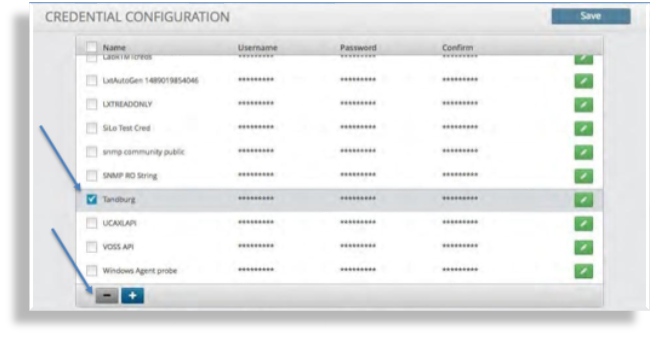
Select the check box adjacent to the name of the credential you wish to delete.
Click the minus icon in the bottom left of the screen.
Click Save to save your changes.