Microsoft License Inventory#
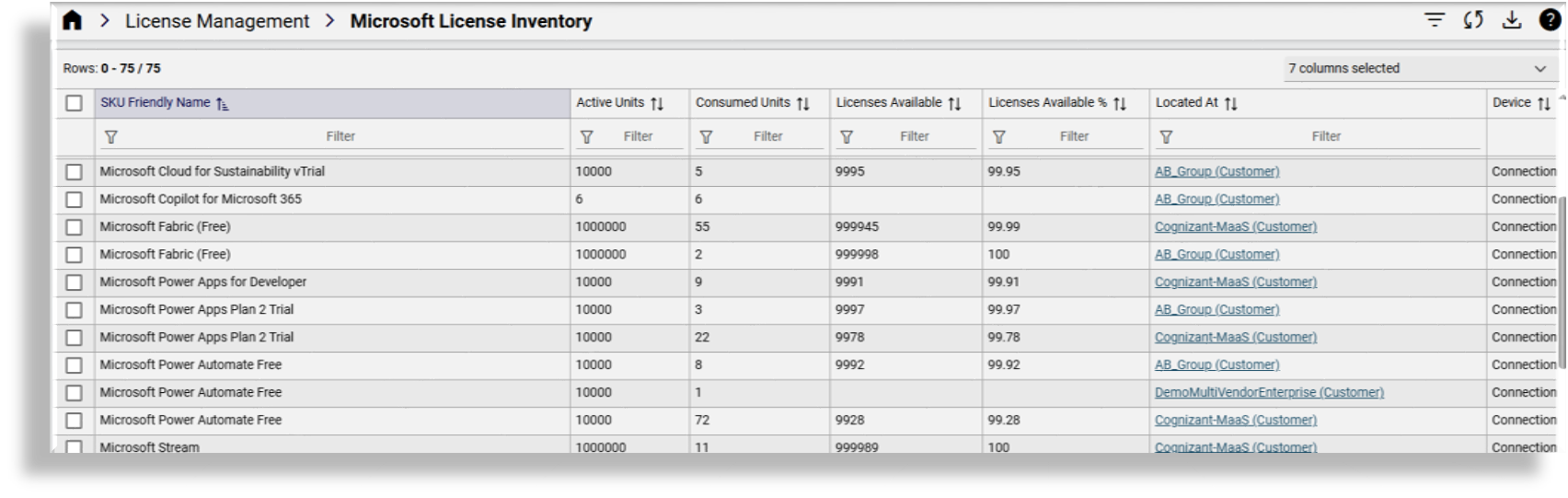
The Microsoft License Inventory page provides a list view of the global pool of Microsoft licenses, showing active, consumed, available (incl. percentage) licenses per hierarchy.
To view an inventory of all your Microsoft licenses at any hierarchy, select the hierarchy, then go to Microsoft License Inventory. To view Microsoft licenses currently synced in the VOSS by customer, select the customer in the hierarchy, then go to Microsoft License Inventory.
The Microsoft License Inventory list view shows the following details for each license:
SKU friendly name
Number of active licenses
Number of consumed licenses
Number of available licenses
Number of available licenses as a percentage (%)
Where the license is located in the hierarchy
The device associated with the license
Note
Licenses are synced from devices to the organization hierarchy level.
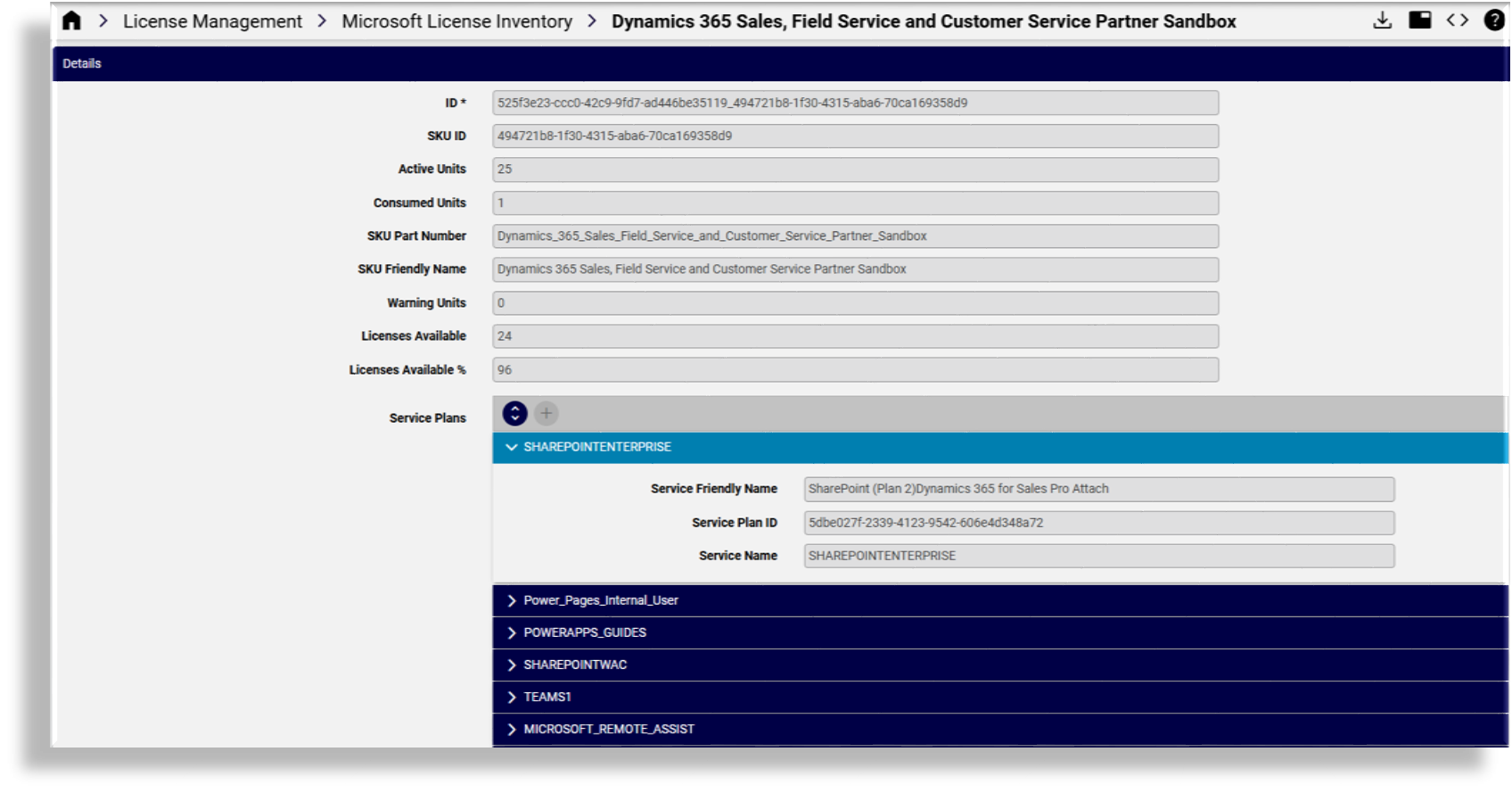
Click on a license in the list view to view its details. On the license details page you can export the license and access the JSON editor for the license.