
Introduction to Webex Contact Center#
Important
The Webex Organization setting, Contact Center Customer, must be enabled in order to manage a Webex Contact Center in Automate.
If a Cisco Webex service is added to Automate from Webex Organization and the setting Contact Center Customer is enabled, Automate provides a range of features to manage a Webex Contact Center. In particular, this includes:
Agent and associated configuration management
Agents, Users, Agent Profiles, Teams, Sites
Skills, skill profiles
Holidays, business hours
Address book
Contact Service Queue, Entry points, overrides
Auxiliary codes
Multimedia Profiles
Integration into Webex User management in Automate
Quick Add User
Automate also provides role-based access, menus, and dashboards to view and manage the Webex Contact Center
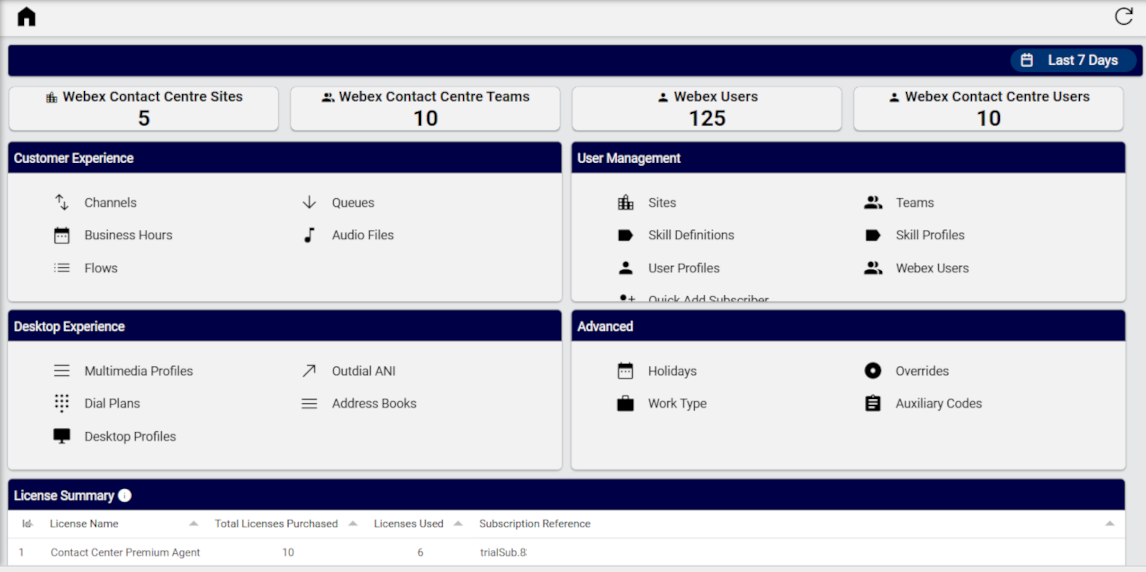
For continuity, the grouping of functionality on the menus and dashboards follows the format and naming as seen on the Webex Control Hub interface.
Related topics