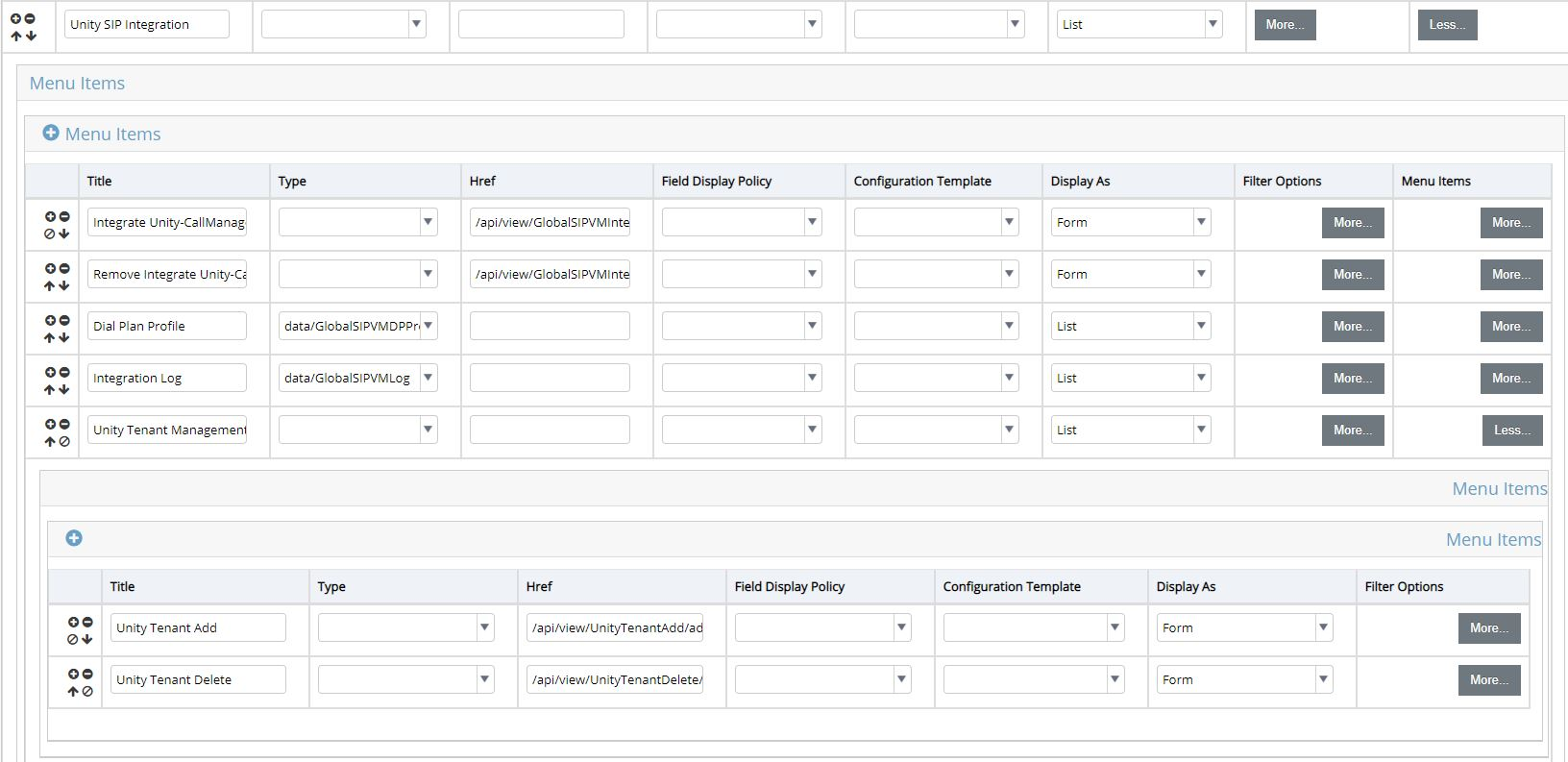
Configure the Unity SIP Integration menu layout#
Log to Automate with sufficient rights to change menu layouts.
Go to Menu Layouts.
Select menu you wish to configure.
Configure the menu layout as shown below under Unity SIP Integration.
Click Save.
Title |
Type |
Href |
Display As |
|---|---|---|---|
Unity SIP Integration |
List |
||
Integrate Unity-CallManager |
/api/view/GlobalSIPVMIntegration/ add |
Form |
|
Remove Integrate Unity-Call Manager |
/api/view/GlobalSIPVMIntegration Delete/add |
Form |
|
Dial Plan Profile |
data/GlobalSIPVMDPProfile |
List |
|
Integration Log |
data/GlobalSIPVMLog |
List |
|
Unity Tenant Management |
List |
||
|
/api/view/UnityTenantAdd/add |
Form |
|
|
/api/view/UnityTenantDelete/add |
Form |
See also Unity SIP Integration Menu Layout illustration: