
Install Arbitrator#
This procedure installs the Arbitrator system.
Log in to the Arbitrator as admin, with the password set up when installing the base system. See Deploy and VM installation.
Click the Wrench icon.

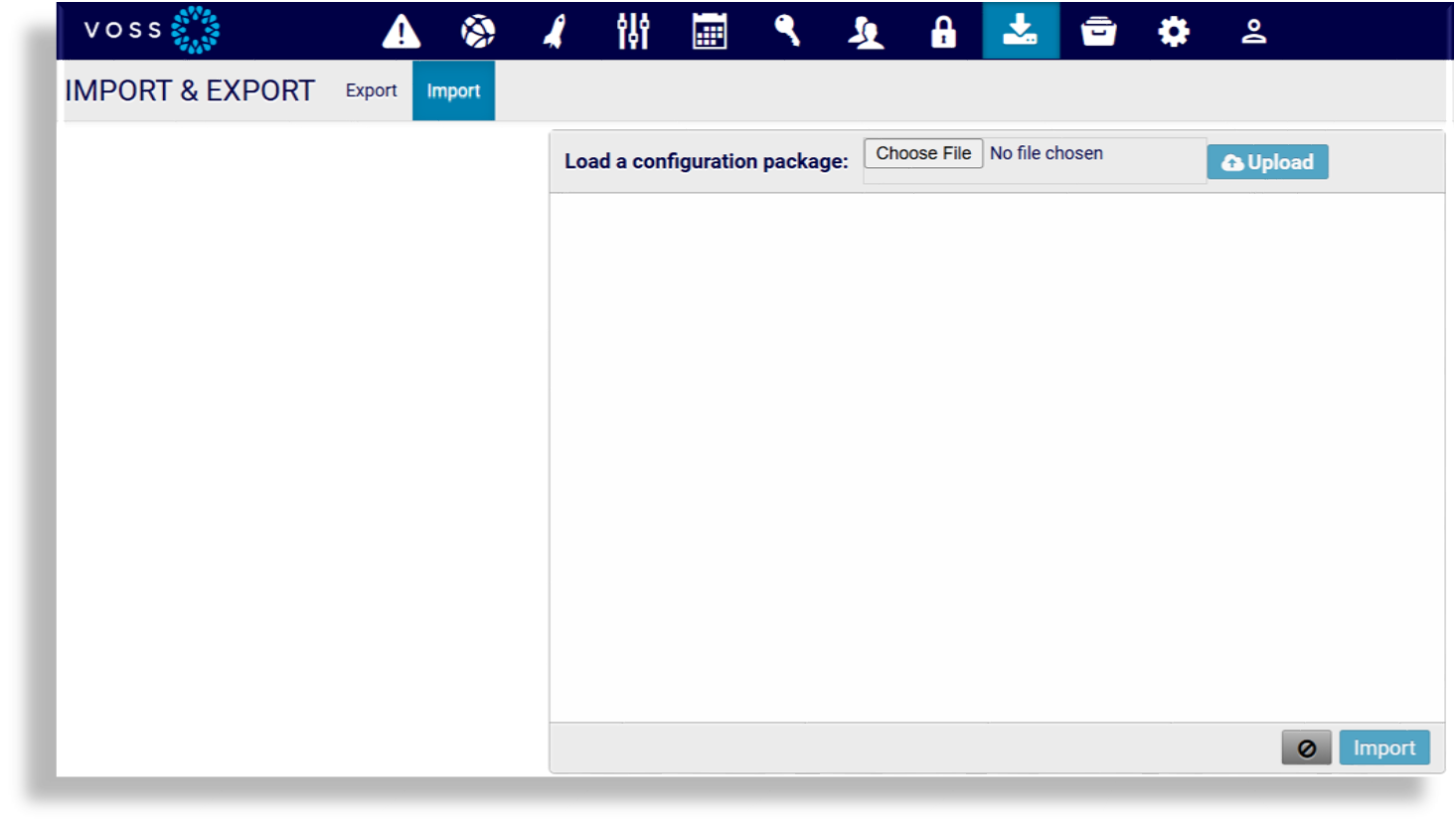
Click the Import / Export icon.

Click Import,
Click Choose file, select your file, then click OK.
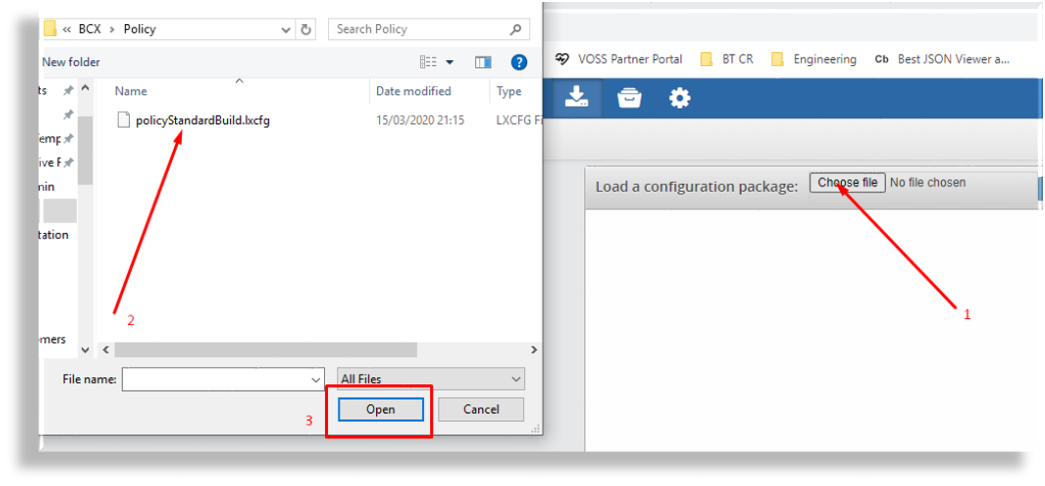
Ensure the name of the file you selected displays adjacent to Choose file, then click Upload.
Once the file has uploaded click Import.
Repeat this procedure for the following:
Controls
Probes
Response Procedures
Policies
Policy configuration files
Policy configuration files are installed at the end of the installation process.
Polices are a modular groupings of correlation rules, actions, and response procedures that define how to respond to certain situations that happen on the monitored systems. Policies are usually system and manufacturer specific but can contain custom scripts for actions and response procedures. Each policy also contains several correlation rules that are designed to create alerts based on the best practices of that particular system manufacturer.
The table describes the configuration file components:
Component |
Purpose |
Filename |
|---|---|---|
Controls |
Controls are actions that the system can automate, user actions to support data collection, analysis before presenting to an operational user as an alert to help reduce user input and provide information and actions faster.
Other options that can be developed:
|
|
Probes |
A script to poll a system to collect data from a remote system. This is important if the data required can’t be streamed from a system to the Arbitrator to be consumed, the Arbitrator and collect data remotely by periodic probing of the system. Examples of probes that collect
|
|
Response procedures |
Contains group of controls that are assigned to the policies. |
|
Policies |
A set of rules for the data that is turned into an alert. It enables an alert to be generated and defines the alarm ID and the content of the alarm that gets presented to a user. |
|