Configure DS9 on the Dashboard system#
This procedure configures flow devices and SNMP to completes the setup between Insights Dashboard and DS9.
Log in on the Dashboard GUI as admin.
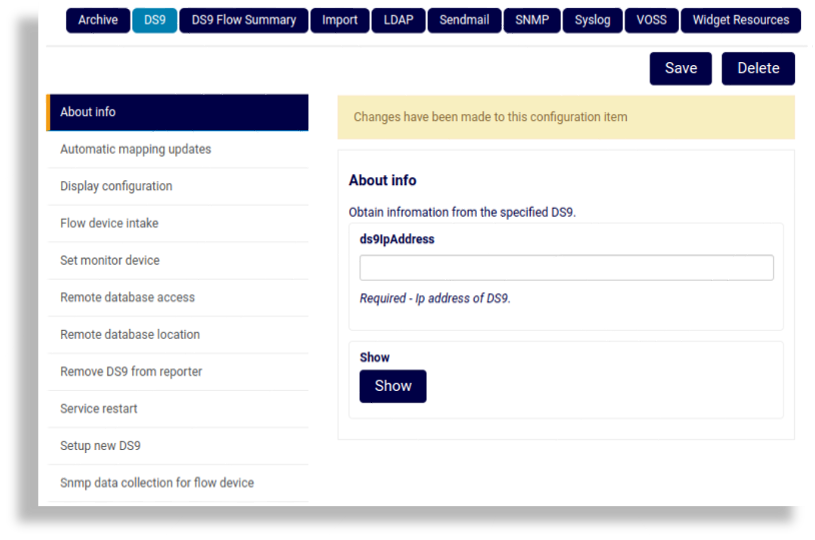
Go to admin > Configuration, and on the Configuration Settings page, select DS9.
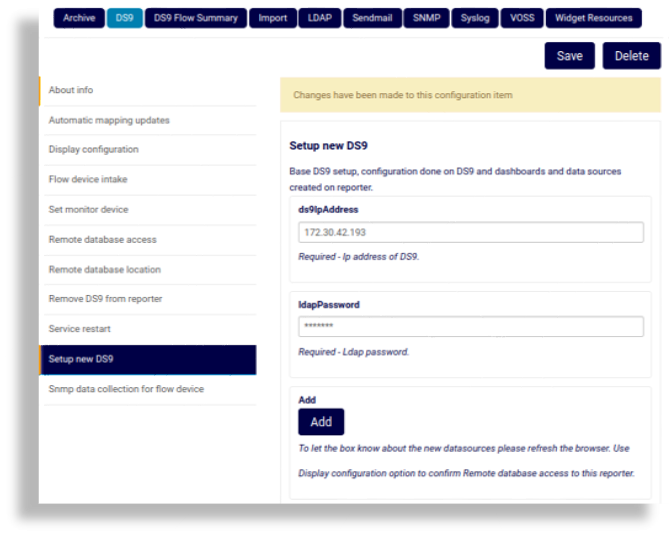
Select Setup new DS9, add the ds9IpAddress, then click Add.
Repeat this step according to the number of DS9 systems to be utilized in the environment.
Refresh the Dashboard browser page and from the menu, select Data Sources.
The new entries for the IP address are listed as
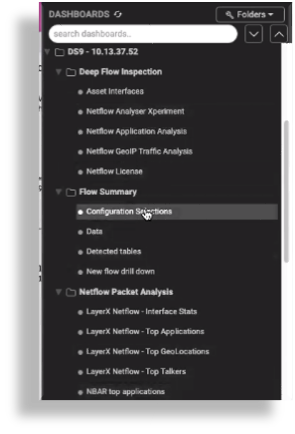
DS9 SNMP...,DS9 SUMMARY...DS9 TOPN...entries.Under the DASHBOARDS menu, view the new DS9 - <IP> dashboard menu. The image shows an example.
Note
At this stage, the sub-menus are still empty.
Set up the DS9 to receive netflow from the source devices sending to the DS9:
Go to admin > Configuration.
On the Configuration Settings page, select the DS9 tab.
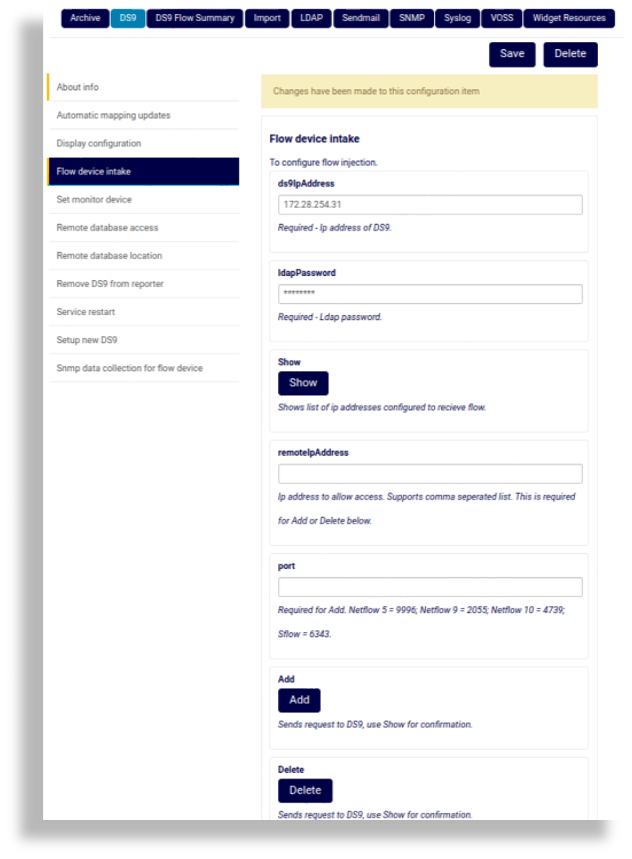
Select Flow device intake, and for each remote netflow device that the DS9 server will receive flow data, set up ds9IpAddress, remoteIpaddress and port, and click Add.
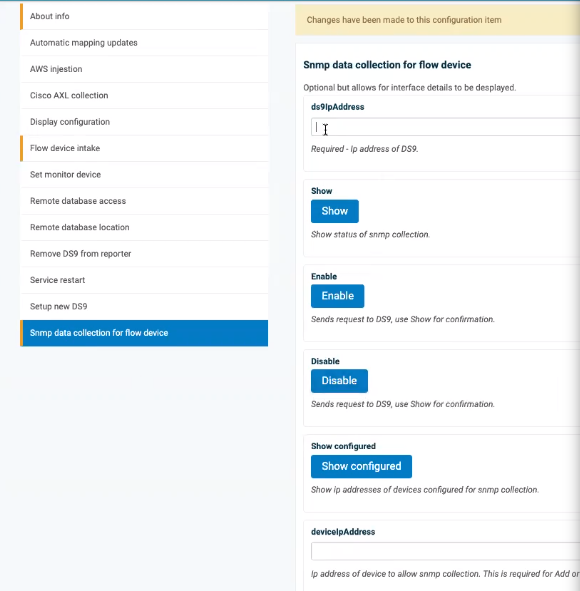
Select Snmp data collection for flow device.
Provide NetFlow source device interface utilization statistics, which are gathered using SNMP data collection.
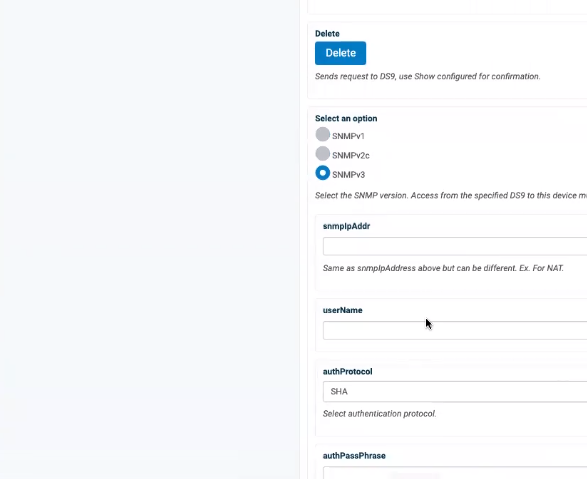
Fill out data relevant for your SNMP version configuration preferences.
You will repeat this step for each of the flow sources set up to send flow to the DS9.
Specify the same IP address of the NetFlow source to be queried in the deviceIpAddress field and the snmpIpAddr field if NAT is not being used to connect to the NetFlow source device from the DS9 system.
If NAT is used to connect to the NetFlow source device, specify the NAT IP address of the NetFlow source device in the snmpIpAddr field to use as the Ip address to connect to the system for the SNMP query.
Input the real IP address of the system into the deviceIpAddress field and then input the SNMP authentication parameters.
Click Add.
Repeat for each NetFlow source device to be queried. The authentication parameters will cache in the browser so only changing the deviceIpAddress and snmpIpAddr fields is usually required for a new entry.