User Settings#
Click the System Configuration (Cog icon) to open the admin menu, then select User Settings to configure your user settings.
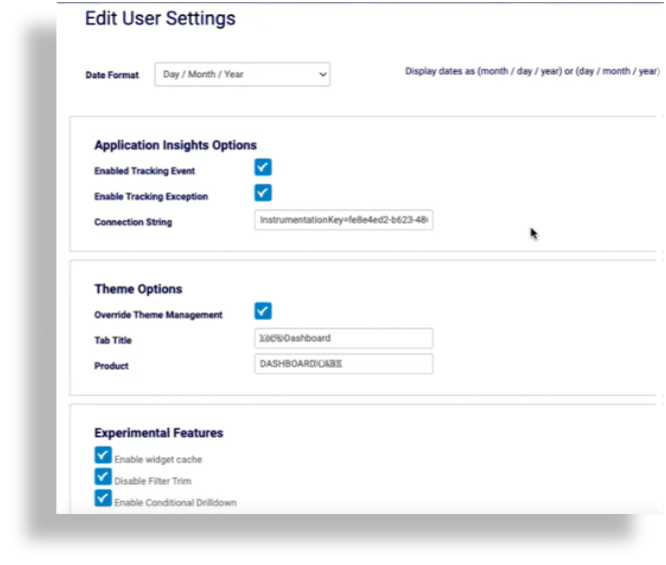
In User Settings, you can:
Configure the international date representations on dashboard and reporting output
Enable/disable product usage event tracking for this user (enabled by default)
Note
When enabled, the connection string is set by default, and the system securely tracks and measures anonymized product usage events, such as login/logout actions, platform ID, locality, browser type, console errors, dashboards opened/closed and dashboard operations. This data helps VOSS gain insights into product usage and improve user experience.
Configure theme options
Enable/disable experimental features, such as for exposing conditional drill-down
Note
Since the option for conditional drill-down requires knowledge of the conditional drill-down JSON syntax, it is hidden by default. See Drilling down into the Data.