
Theme Banner Customization#
For Less files in general and how to update, compile and upload your theme, see Less Files and Customizing Themes
To customize the look and feel of the banner text managed from the theme,
inspect the styles in skin.css that apply to the theme Site Title and Banner Text.
Both are marked up in HTML as <h1>:
Site Title:
.login_page h1Banner Text:
h1.banner
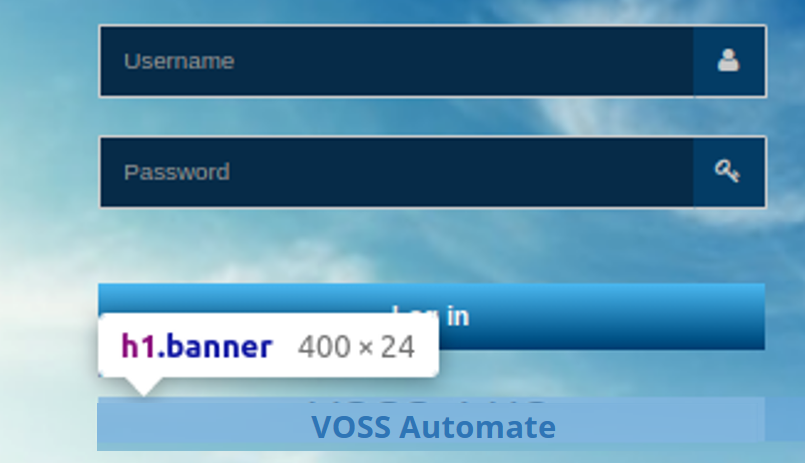
If a style is defined for the Site Title and there is no style override for the Banner Text,
then the Site Title style applies to the Banner Text. More generally, styles for h1 apply.
For example, unless the h1.banner
customization includes values for font-size and color, the
values of the variables in variables.less: @loginBannerFontSize and @loginBannerFontColor
will apply to the banner text.
In skin.less, Banner Text style customization can for example include the following attributes,
h1.banner {
    color:
    font-family:
    font-size:
    font-weight:
    line-height:
    margin:
    margin-left: [use negative value to show text outside login form box] - see below]
    text-align:
    text-shadow:
    width:
}
For margin-left, if you wish to center the banner, the negative margin and total width will have
to be calculated. The margin-left value should be the negative of:
(banner width - login form width)/2
For example, if the username/password fields are 400px wide (determine this with the browser developer tools),
and the banner width is set to 800px, then the margin-left of the banner should be:
(800px-400px)/2 = -200px
Therefore, the skin.less file will contain:
h1.banner{
  width: 800px;
  margin-left: -200px;
 ...
}