


VOSS Product Suite Documentation
VOSS Product Suite 25.4
VOSS Product Suite 25.4 delivers a wide range of enhancements across the portfolio, combining core capabilities with product-specific improvements. Core functionality introduces AI-driven innovations such as AI Anomaly Detection for estate insights, a flexible Alerting engine to trigger notifications and automated workflows, and the MCP Server to simplify integration with external AI agents. UC Automation expands Cisco and Microsoft workflows, while UC Monitoring completes portal consolidation into the core portal for improved user experience and consistency. The release also introduces Meeting Room Management for consolidated control and analytics across Cisco and Microsoft environments, expands License Management with enhanced Microsoft usage and cost analysis, and updates NetFlow dashboards to provide greater visibility into collected data and metrics. Full details can be found in the highlights below, and in the Release Notes.
Highlights in VOSS Product 25.4
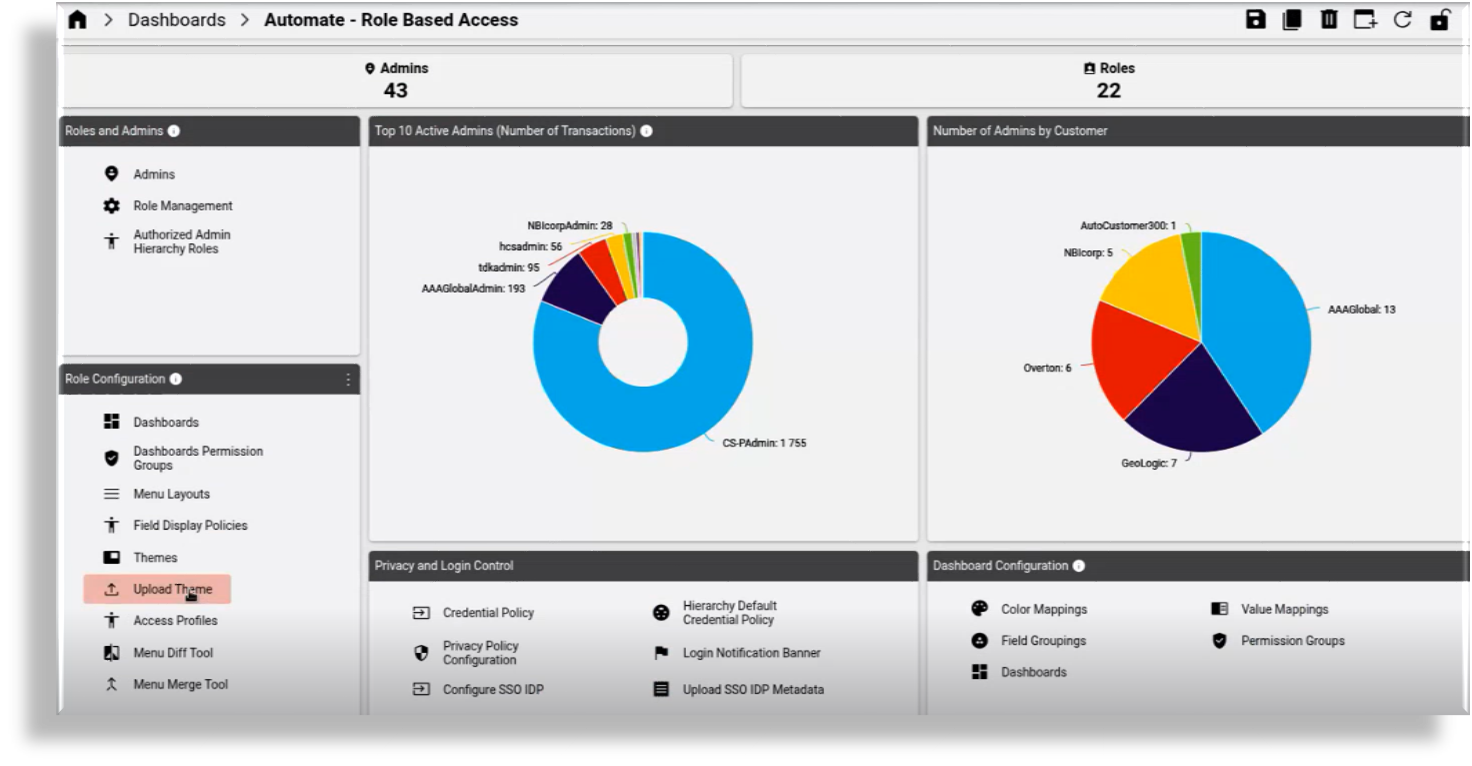
Themes Enhancements
It is now possible to fully export and import themes from the VOSS Product Suite UI, with all their settings and images included. Themes can also be marked as default and not rely on the theme name of "default".
The system now also supports a "Dark Mode" theme, and as part of the VOSS Platform installation, administrators can set the default theme using the CLI.
License Management Updates
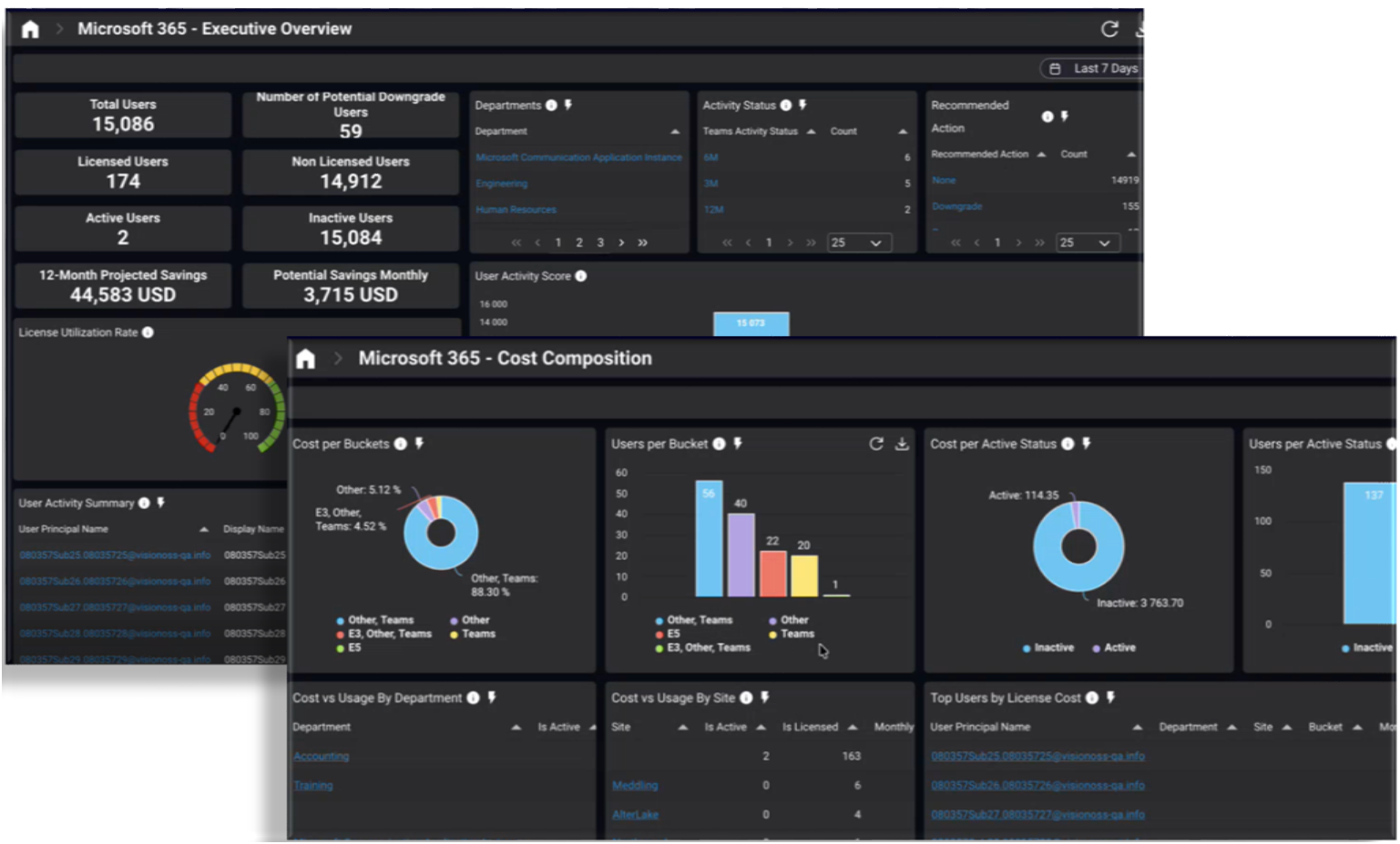
VOSS Product Suite 25.4 enhances License Management with powerful analytics and reporting capabilities, providing a single, consolidated view of Microsoft Teams license usage, activity, and cost across Microsoft environments. By combining license assignment data with user activity insights, organizations can clearly see how Microsoft Teams licenses are being used, and where they are not.
New dashboards enable teams to identify inactive or under-utilized users, analyze usage across Microsoft Teams (including messaging, meetings, and voice), and distinguish between basic and premium usage. With built-in cost modelling and trend analysis, organizations can calculate potential savings and make data-driven decisions to optimize license allocation and reduce unnecessary spend.
Meeting Room Analytics and Reporting
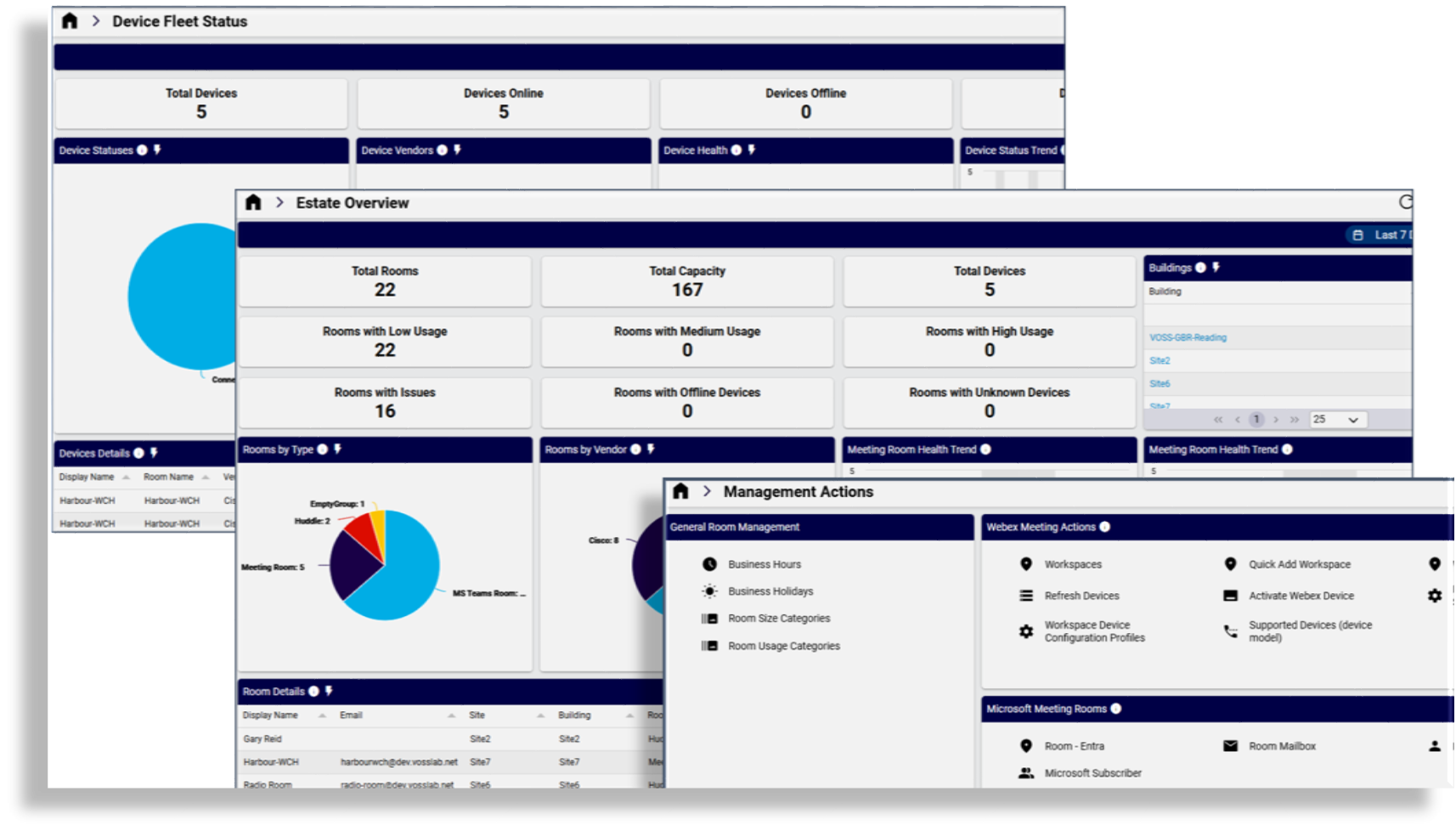
This feature adds Meeting Room support for configuration, monitoring, and room usage analytics, providing key insights into the bookings and occupancy of Microsoft meeting rooms, or Webex meeting rooms using Cisco collaboration devices.
With normalized data and rich dashboards, organizations can optimize space utilization, improve planning, and make data-driven decisions about their meeting room estate.
MCP Support for the Core Framework
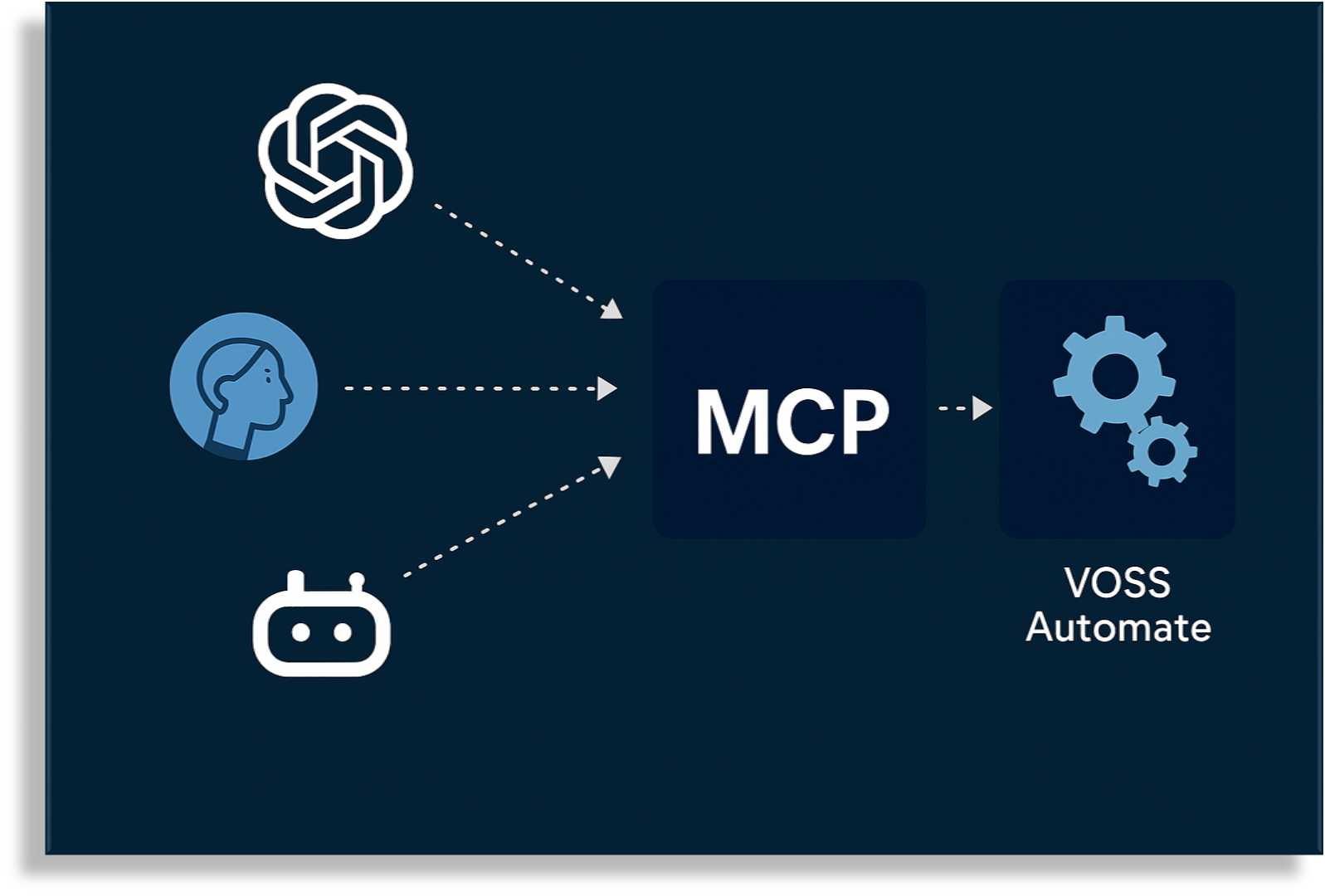
VOSS Software-as-a-Service (SaaS) Only. The VOSS Product Suite 25.4 introduces support for the Model Context Protocol (MCP), enabling secure integration between VOSS and external AI assistants, such as ChatGPT and Copilot. MCP exposes VOSS REST APIs as AI-consumable tools, allowing natural language driven tasks including user onboarding, service provisioning, and real-time transaction progress tracking. Delivered as a secure, containerized service that integrates with the VOSS Product's existing authentication, role-based access control, and audit logging, MCP support allows customers to safely invoke VOSS actions from within their existing AI environments.
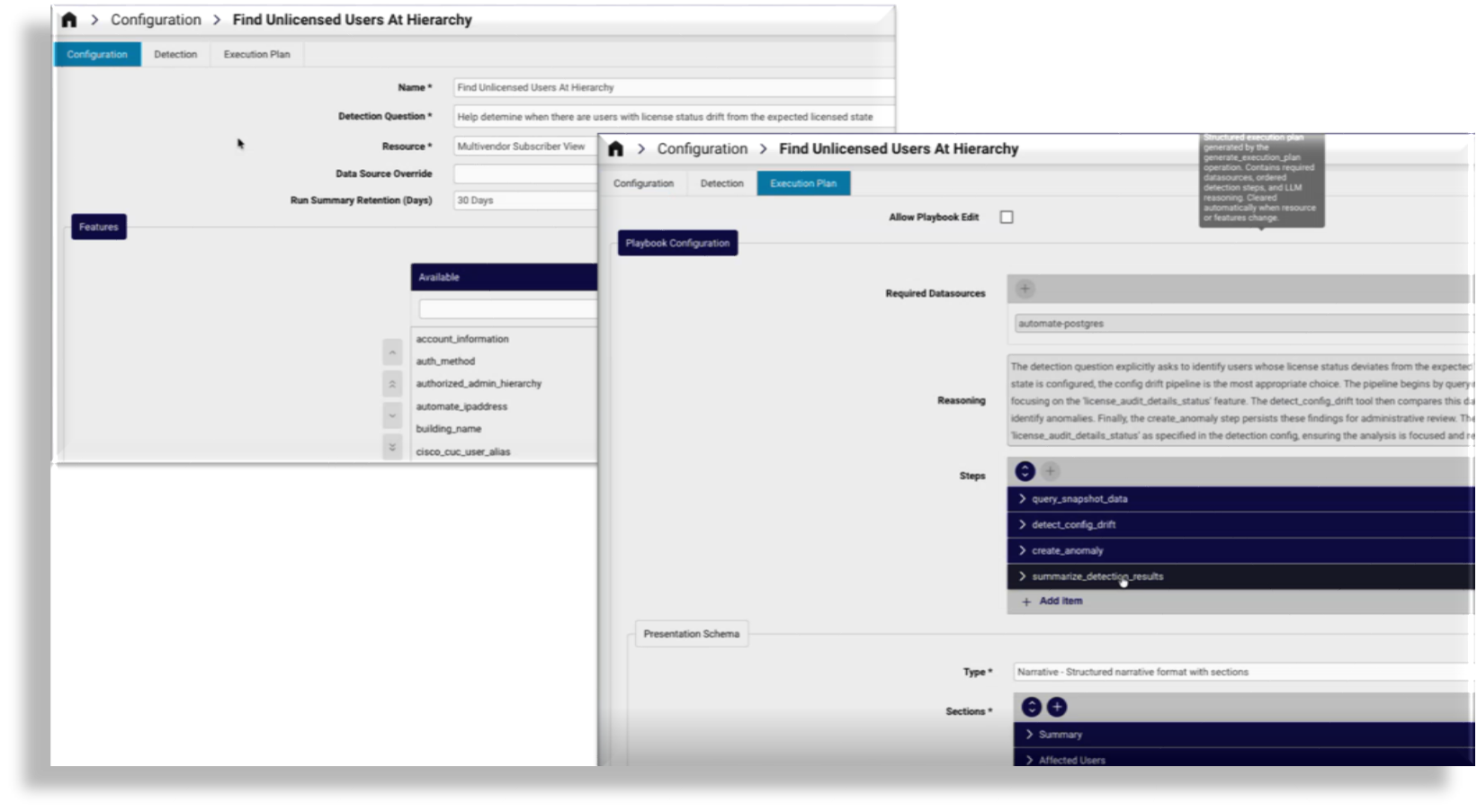
AI-Driven Anomaly Detection in the Core Framework
VOSS Software-as-a-Service (SaaS) Only. The VOSS Product Suite now includes built-in AI-powered anomaly detection that helps you identify issues before they impact users. Rather than relying on static thresholds, the platform uses machine learning to analyze patterns in your environment and surfaces unusual behavior automatically. Just describe what you want to detect in plain language, and the system figures out how to do it.
The framework works across virtually any data that is already accessible in the VOSS Product Suite, so you can detect anomalies in service quality metrics, configuration drift from an admin-defined baseline, call patterns, and more. Detected anomalies are saved as structured records that flow naturally into your existing reports, dashboards, and alerts, giving you earlier visibility, better context, and a scalable foundation for smarter operations.
Support for Alerting on the VOSS Core Framework
VOSS Software-as-a-Service (SaaS) only. VOSS Product Suite 25.4 introduces a new native alerting capability within the Core Framework, enhancing system monitoring and management. Administrators can define custom alert rules or modify VOSS-provided reference rules, manage them at the appropriate hierarchy level, and group related rules to simplify administration and apply shared actions.
Alerts are easy to configure with key parameters such as severity, evaluation frequency, and triggering conditions. When triggered, alerts can automatically execute predefined actions like notifications or workflows, while historical alert logs provide visibility for auditing and analysis.

Simplified PowerShell Integration
This architectural change in VOSS Product Suite 25.4 offers the following benefits:
- Removal of the dependency on customer-managed Windows PowerShell Proxy servers
- Elimination of WinRM configuration requirements, including authentication and encryption considerations
- Removal of the need for local administrator or domain administrator execution accounts on customer infrastructure
- Reduced interaction with customer domain security baselines and GPO constraints
- Improved long-term serviceability and reduced operational risk
Refer to the VOSS documentation for details on the PowerShell service, RAM requirements, migration guidance, and application setup.
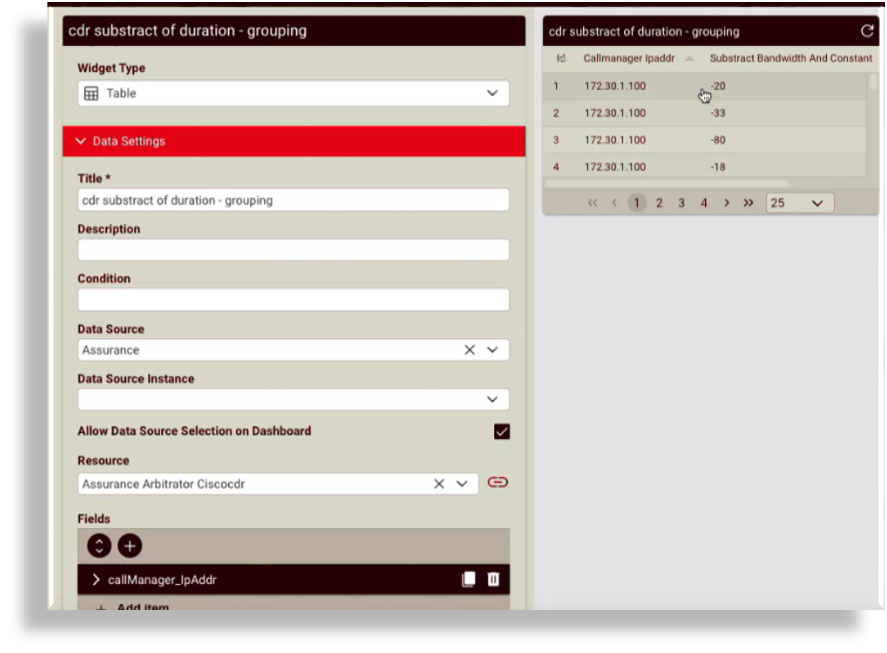
Support for Custom Widget Fields
Dashboard widgets now support custom fields.
Users can choose a value type, an operation, and one or more source columns from the resource to add calculated columns such as Sum, Average, Concat, Replace, or a Format expression.

Small Enhancements and Bug Fixes
Alongside the new features in this release, we've delivered a range of smaller enhancements and fixes to improve workflows, usability, customization, accessibility, and performance in the Admin Portal. For more details, see What's New by Category.