

 VOSS Automate
Documentation
VOSS Automate
Documentation
VOSS Automate 25.2
Automate 25.2 empowers organizations with smarter tools for secure administration, streamlined inventory management, and brand-aligned user experiences. Additionally, we've strengthened security with cross-site scripting mitigations, improved authorization checks, and implemented stricter macro and file upload controls. Usability and accessibility are enhanced through refined GUI elements, better screen reader support, and expanded dashboard export options. Platform updates include improved CLI commands, broader device pool and template support, and tighter integration with Microsoft and Webex services. Full details can be found in the Release Notes.
Highlights in Automate 25.2
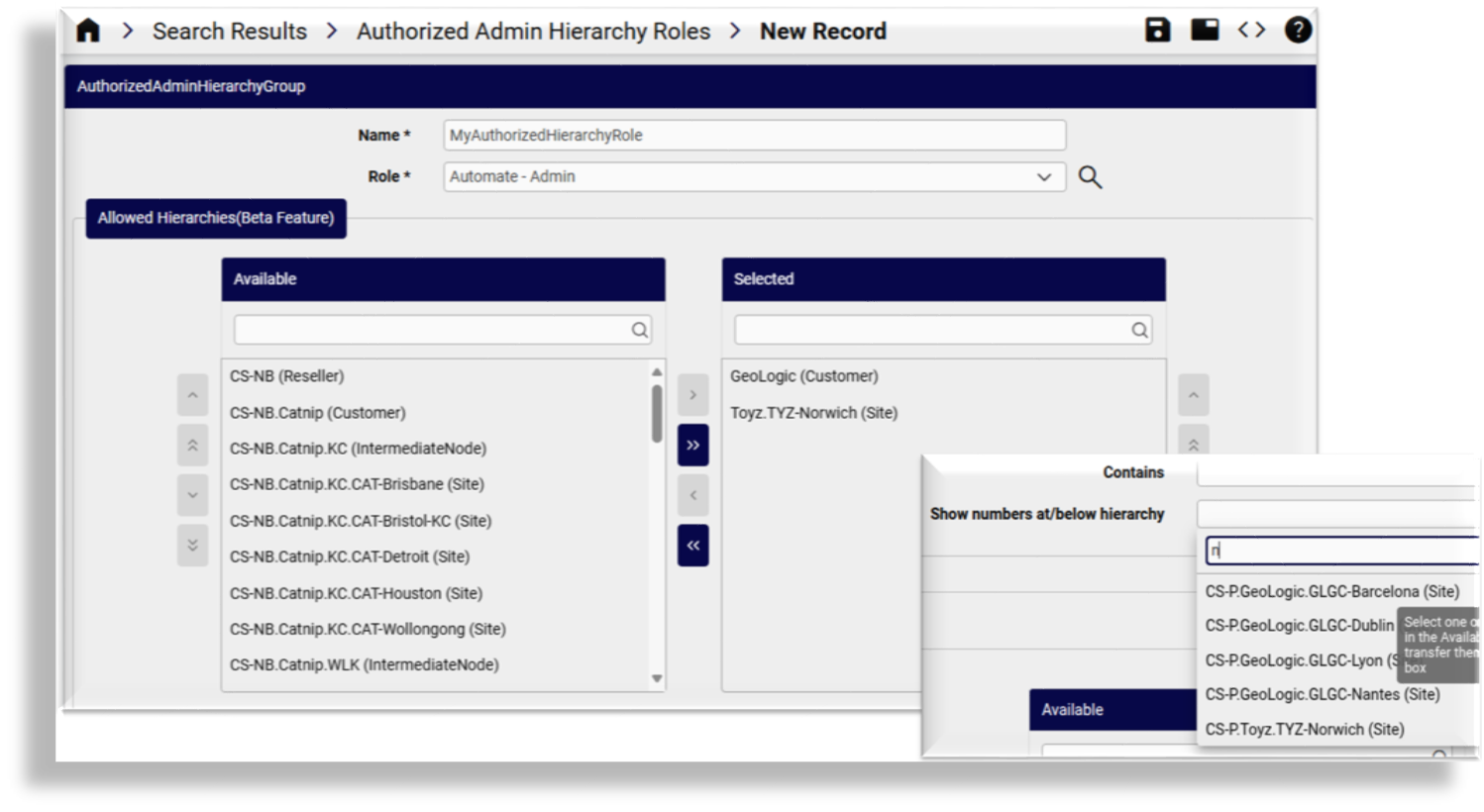
Authorized Admin Hierarchy Roles
Automate 25.2 introduces Authorized Admin Hierarchy roles, enhancing flexibility in defining admin hierarchy access and enabling secure, delegated admin roles for broader use cases. For instance, an admin at the customer level can now access only specific sites under that customer, with restricted hierarchy limiting their data scope in search results, transactions, dashboards, or list views. Previously, customer-level admins had access to all sites and related data. For partners, this allows the granting of access to selected sites across different customer levels.
Duplicate Internal Number Prevention
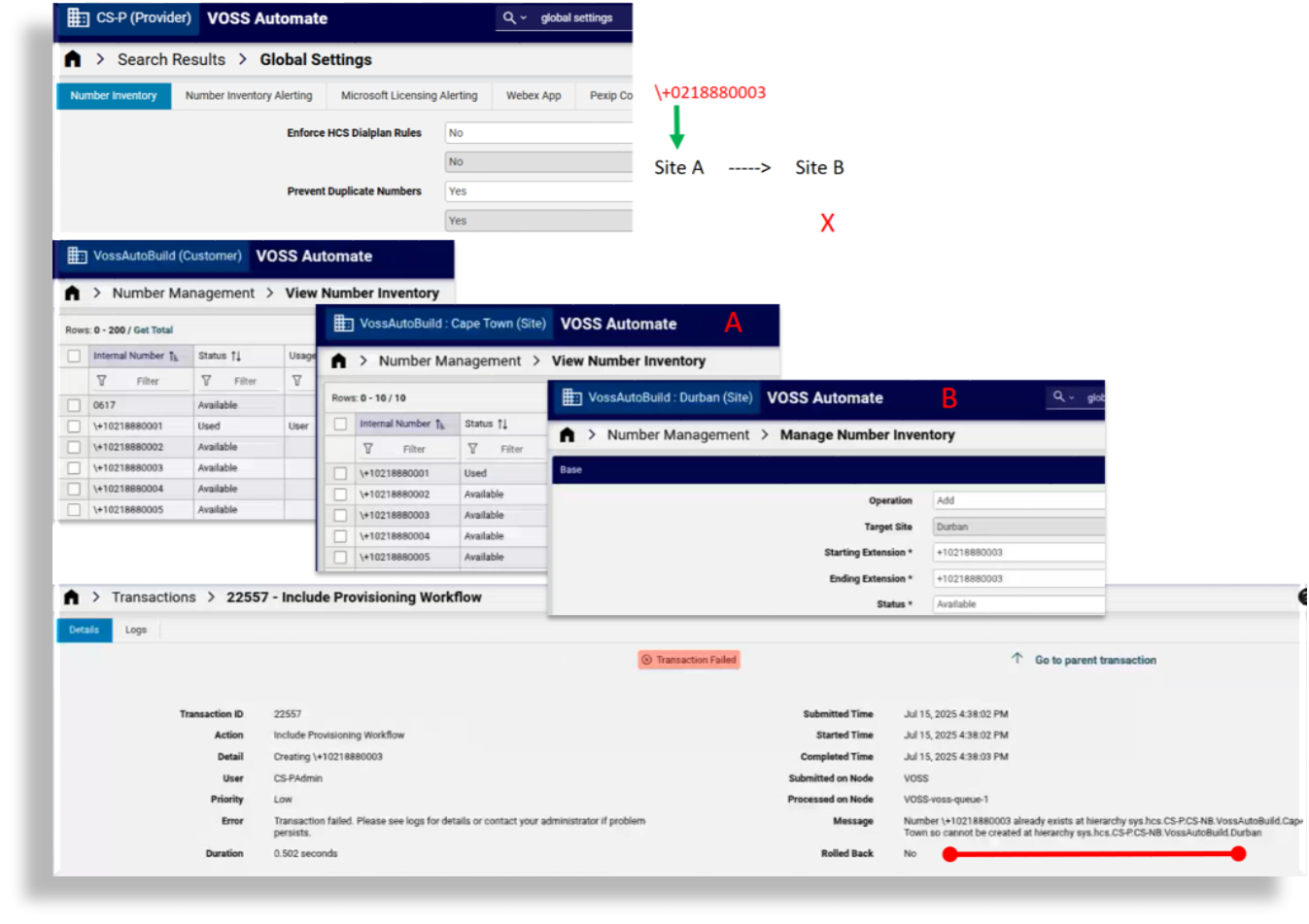
This feature improves the number inventory logic to address inconsistencies between inventory data and actual deployments, particularly in Microsoft-enabled environments. It introduces a global setting called Prevent Duplicate Numbers, which helps administrators proactively manage and prevent issues like:
- Numbers being assigned to the wrong users or sites.
- Duplicate entries that require manual cleanup.
- Errors during provisioning or sync workflows.
By enforcing duplicate checks across all hierarchy levels (customer, site, sibling), the system now blocks unintended number reuse and provides clear feedback via the transaction logs. This reduces the risk of admin mistakes, streamlines troubleshooting, and minimizes unexpected system behavior due to data misalignment.
Customize the Default Font on Automate
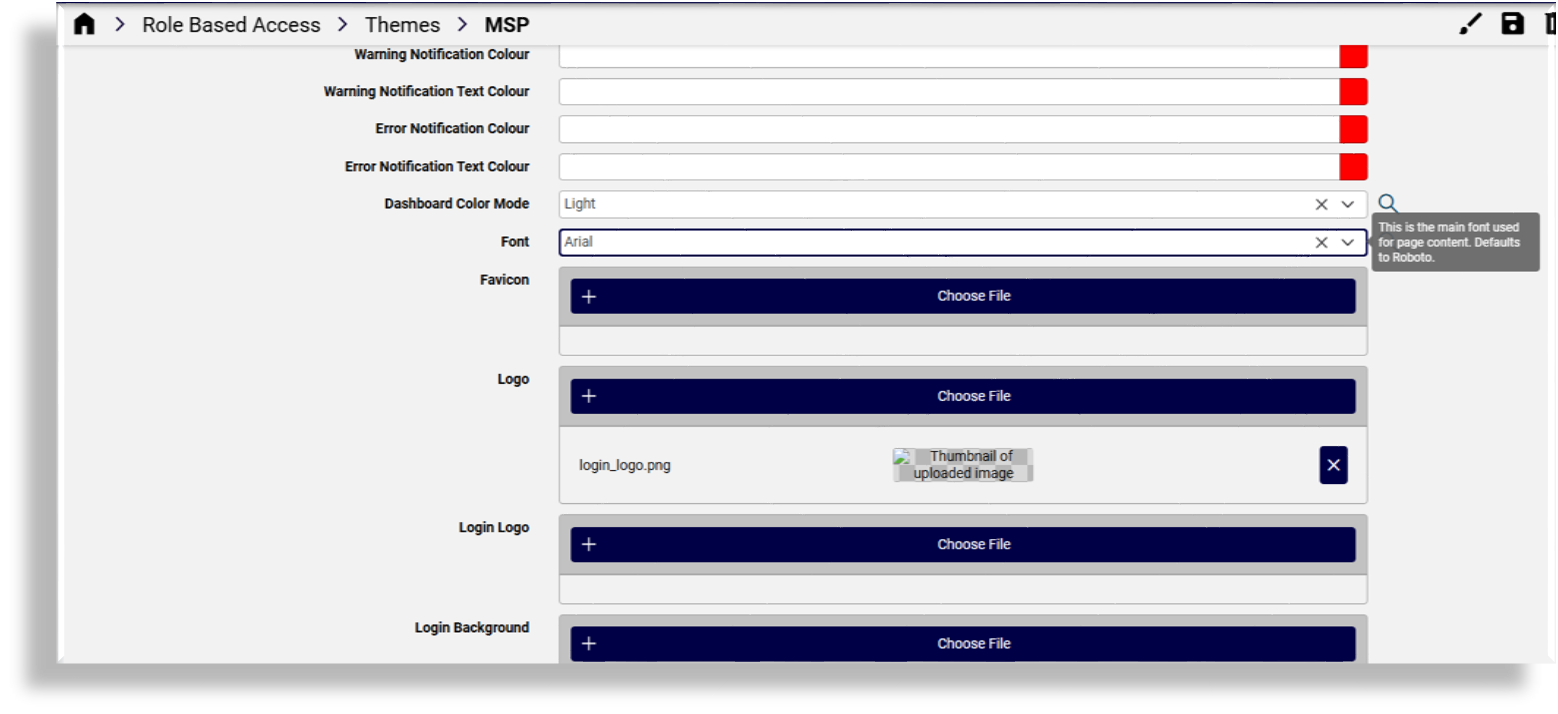
Admins can now customize the default font used system-wide, introducing branding flexibility with generally available, locally supported fonts, and helping you align the UI for a consistent user experience across your organizational portals. The font you choose can be implemented via Automate's theme settings and is applied to all text, including on the Login screen.
Microsoft Teams Shared Calling Routing Policy Support
This release expands policy management integration for Microsoft environments with support for managing Teams Shared Calling Routing policies from within the Automate platform. Automate now provides full lifecycle control (create, read, update, delete) for these policies, streamlining administration through integration with the Microsoft Cloud portal. Admins can also set a default Shared Calling Routing policy at the site level via the Site Defaults, ensuring consistent policy inheritance during onboarding.


Small Enhancements and Bug Fixes
In addition to the new features in this release, we've added a variety of updates to optimize and improve workflows, usability, customization, accessibility, and performance in the Admin Portal. You can find further details, including links to the relevant topics, at What's New by Feature .