Call Manager SIP Profiles
Where values or time settings are shown in the fields of the form when adding a profile, these are the static values corresponding with the Call Manager defaults.
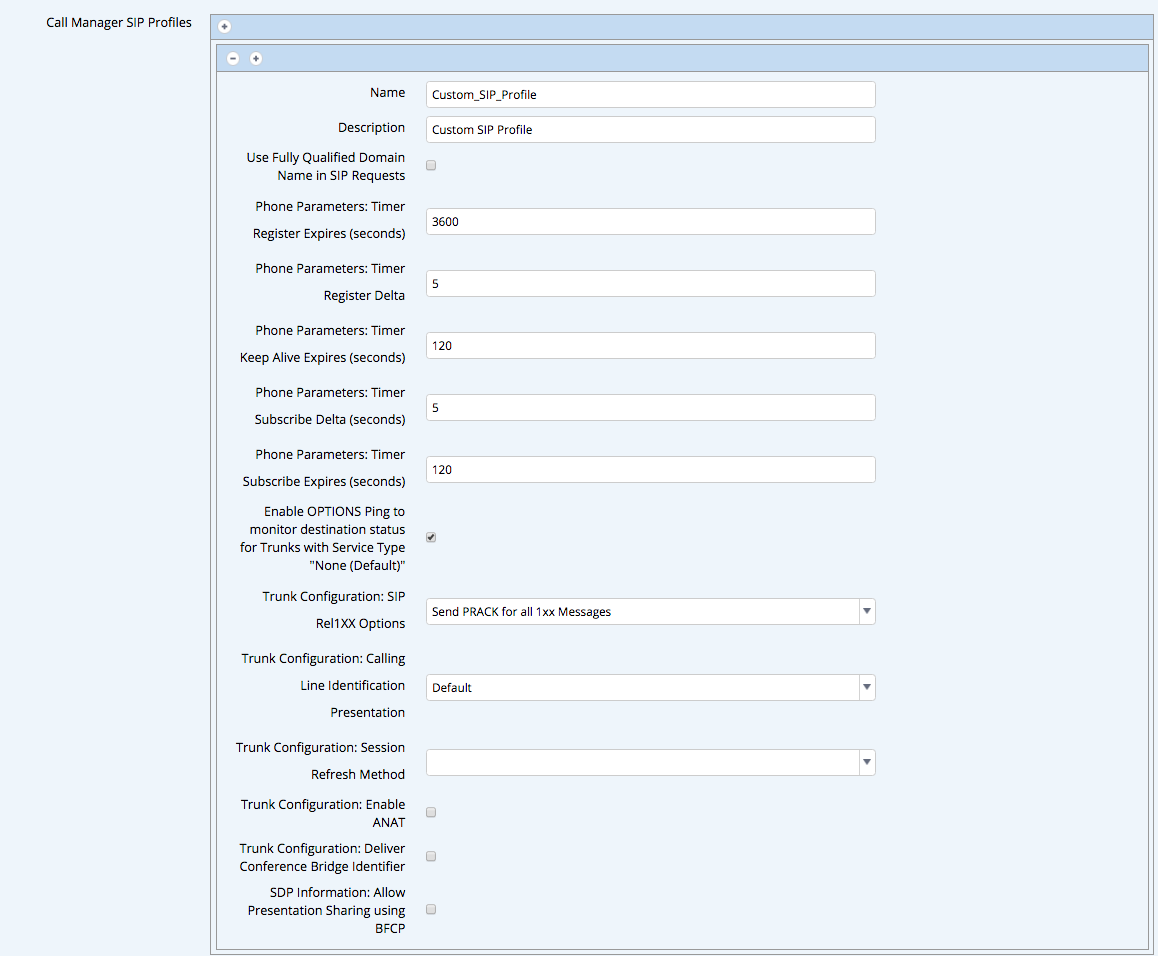
Call Manager SIP Profiles Reference
| Field Name | Description |
|---|---|
| Call Manager SIP Profiles | Entry box to add any number of SIP Profile definitions. |
| Name | Free text field to enter name of SIP Profile. |
| Description | Free text field to enter description of SIP Profile. |
| Use Fully Qualified Domain Name in SIP Requests | Check box to enable Use Fully Qualified Domain Name in SIP Requests. |
| Phone Parameters: Timer Register Expires (seconds) | Free text box to adjust the Timer Register Expired timeout. Default 3600 |
| Phone Parameters: Timer Register Delta | Free text box to adjust the Timer Register Delta. Default 5 |
| Phone Parameters: Timer Keep Alive Expires (seconds) | Free text box to adjust the Timer Keep Alive Expires. Default 120 |
| Phone Parameters: Timer Subscribe Delta (seconds) | Free text box to adjust the Timer Subscribe Delta. Default 120 |
| Enable OPTIONS Ping to monitor destination status for Trunks with Service Type “None (Default)” | Check box to Enable OPTIONS Ping. |
| Trunk Configuration: SIP Rel1XX Options | Drop-down providing options
|
| Trunk Configuration: Calling Line Identification Presentation | Drop-down providing options
|
| Trunk Configuration: Session Refresh Method | Drop-down providing options
|
| Trunk Configuration: Enable ANAT | Check box to enable ANAT |
| Trunk Configuration: Deliver Conference Bridge Identifier | Check box to enable Deliver Conference Bridge Identifier. |
| SDP Information: Allow Presentation Sharing using BFCP | Check box to enable Allow Presentation Sharing using BFCP |